
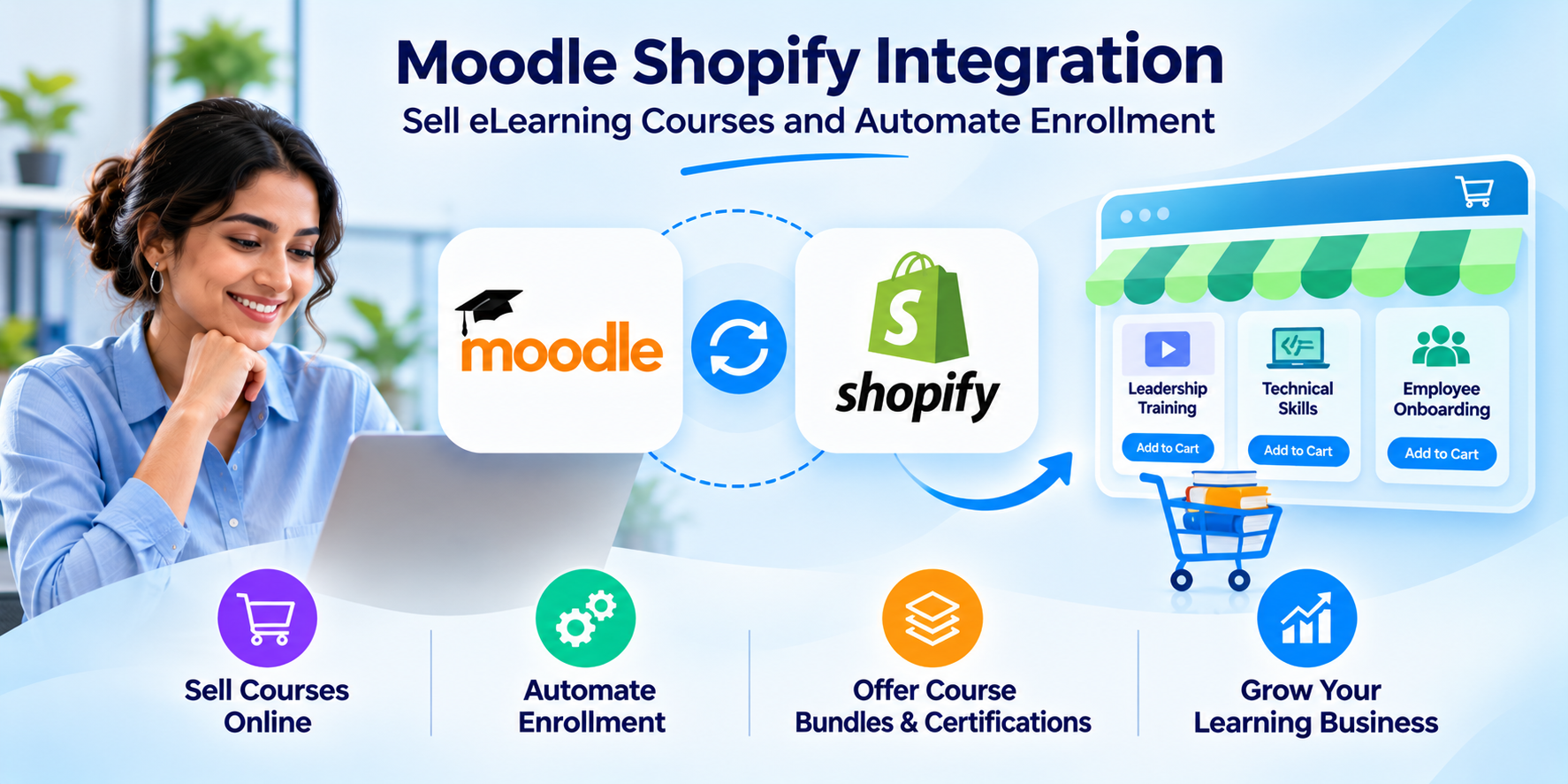




Moodle is built to manage learning, while Shopify is built to sell products. Connecting them allows you to sell Moodle courses through a professional online store without manually enrolling students after every purchase.
Moodle Shopify integration connects course sales, payments, learner accounts, and enrollment in one workflow. Whether you sell individual courses, certification programs, or training bundles, this integration can help you automate administration, improve the buying experience, and grow your eLearning business.
Quick Answer
Moodle Shopify integration connects Shopify’s eCommerce storefront with Moodle LMS to automate online course sales and student enrollment. When a customer purchases a course on Shopify, a configured plugin or API integration can create or match their Moodle account and enroll them in the purchased course after payment confirmation. This helps businesses reduce manual work, streamline payments, and sell courses, certifications, and training bundles efficiently.
To understand how this integration works, let’s first explore the roles of Moodle and Shopify in managing online course sales and learning delivery.
What Is Moodle Shopify Integration?
Moodle Shopify integration connects Moodle, a leading open-source LMS, with Shopify, an eCommerce platform used to sell products and services online.
Moodle manages course content, assessments, learner progress, and certifications. Shopify handles product listings, shopping carts, payments, discounts, and customer purchases.
When connected through a suitable plugin or API, the platforms work together to sell courses and automate student enrollment.
For example, when a customer purchases a course through Shopify, the integration can identify their Moodle account and enroll them in the purchased course. New customers can receive an account and access instructions without requiring manual enrollment.
This approach allows businesses to sell Moodle courses on Shopify while keeping course delivery and learning records within their existing LMS.
Why Choose Moodle Shopify Integration for Your eLearning Business?
Moodle Shopify integration helps course creators, educational institutions, and corporate training providers manage online course sales without replacing their learning platform.
1. Sell Moodle Courses Through a Professional Storefront
Moodle provides tools for course delivery and supports payment-based enrollment. However, businesses that need advanced product pages, promotional campaigns, and flexible shopping experiences may benefit from Shopify.
Through Shopify’s eCommerce capabilities, you can sell individual training programs, course bundles, certification courses, and related products such as books or training materials.
For example, a professional training provider could create separate collections for leadership development, compliance training, and technical certifications.
Customers can compare course descriptions, prices, and available packages before purchasing.
This makes Shopify an option for businesses exploring how to monetize Moodle LMS without moving their existing courses to another learning platform.
2. Automate Course Enrollment and Reduce Manual Work
Manually enrolling students after every purchase can become difficult as sales increase.
With automated Moodle enrollment through Shopify, a completed payment can trigger the next steps in the learning process.
The integration can:
- Identify the purchased course.
- Match the customer with an existing Moodle account or create a new account.
- Enroll the learner in the correct course.
- Send enrollment confirmation and access instructions.
For example, a company selling compliance training to 200 employees could use an integration to manage individual enrollments based on confirmed purchases.
If one buyer purchases seats for multiple employees, the system also needs a way to collect the learners’ details and assign those seats.
This distinction matters because buying 200 seats does not automatically identify the 200 people who should receive access.
3. Offer Secure Payments and Flexible Purchasing Options
Shopify provides checkout and payment features that can make purchasing online courses easier.
Depending on the merchant’s country and payment provider, customers may be able to pay using cards, digital wallets, and other supported methods.
The shopping cart also allows customers to purchase several products together.
For example, a training provider could sell a project management course, a certification assessment, and a downloadable study guide in one transaction.
The integration can connect the relevant learning products to Moodle while Shopify handles the payment.
4. Improve Course Marketing and Customer Retention
Shopify includes marketing features such as discount codes, product collections, customer segments, and promotional campaigns.
Businesses can use these tools to attract new learners and encourage repeat purchases.
For example, someone who completes an introductory cybersecurity course could receive a recommendation for advanced security training.
Shopify purchase data and Moodle learning records can also help businesses understand which courses generate sales and which programs learners complete.
Connecting these insights may require additional data synchronization or reporting tools.
Already Have Moodle Courses? Start Selling Them Through Shopify
Keep your existing courses in Moodle. See how Shopify purchases can connect to automatic enrollments, learner accounts, and course access without rebuilding your LMS.
How Does Moodle Shopify Integration Work?
The integration connects a customer’s purchase with their course enrollment.
A typical workflow follows these steps:
- Create courses in Moodle: Add the learning materials, assessments, completion rules, and certificates.
- Publish products in Shopify: Create product listings with course descriptions, prices, images, and suitable product-to-course mappings.
- Confirm the payment: Shopify processes the order and provides an event that the integration can use to identify a paid purchase.
- Create or match the learner: The integration checks for an existing Moodle account and creates one if required.
- Enroll the learner: Moodle receives the enrollment request and grants access according to the course’s settings.
Shopify Purchase → Payment Confirmation → Account Matching → Moodle Enrollment → Course Access
This process helps reduce manual administration. However, the exact actions depend on the integration tool and the access rules configured in Moodle.
Example: Connecting a Shopify Product to a Moodle Course
Consider a training provider selling a digital marketing certification.
The provider creates the course in Moodle and lists it as a product in Shopify.
A possible configuration could look like this:
| Setting | Example value |
|---|---|
| Shopify product | Digital Marketing Certification |
| Shopify product SKU | DMC-101 |
| Moodle course | Digital Marketing Fundamentals |
| Moodle course ID | 142 |
| Enrollment trigger | Successful payment |
| Enrollment action | Enroll learner in course 142 |
| Access duration | 12 months, if configured |
| Confirmation | Course access email |
This is an illustrative configuration, not a screenshot or record from a live customer project.
The integration uses the Shopify product identifier or SKU to find the corresponding Moodle course.
When payment is confirmed, it identifies the learner and sends the enrollment request.
For course bundles, one Shopify product may need to map to several Moodle course IDs.
Why is this mapping important?
An incorrect mapping can result in a customer purchasing one course but receiving access to another.
Testing product-to-course mappings is therefore an important part of setting up a reliable eLearning store.
Getting Course Access Right After Purchase
A successful payment does not always mean the learner can immediately open every part of a course.
Moodle allows administrators to set conditions based on dates, grades, groups, and activity completion.
For example, a customer may purchase a certification course containing three modules. The learner can access the first module immediately, while the next module becomes available after passing an assessment.
Moodle allows administrators to control when learners can access specific activities and resources. These restrictions can be based on conditions such as assessment scores, activity completion, or scheduled dates, helping learners follow the intended training sequence
These conditions should work alongside the Shopify enrollment process. Before launch, confirm that a paid customer is enrolled correctly and can access the content included in their purchase.
How to Integrate Moodle with Shopify
There are four common approaches to Shopify LMS integration. The best option depends on your course catalog, technical resources, budget, and enrollment requirements.
Comparison of Moodle Shopify Integration Methods
| Integration method | Setup effort | Cost considerations | Best suited for |
|---|---|---|---|
| Dedicated plugin | Low to medium | Plugin license or subscription | Standard course sales and automated enrollment |
| API integration | Medium to high | Development and maintenance | Custom user and enrollment workflows |
| Automation platform | Low to medium | Automation subscription and usage limits | Simpler event-based workflows |
| Custom enterprise integration | High | Project-based development and support | Bulk enrollments, complex rules, and multiple systems |
Setup effort and costs are general comparisons, not fixed implementation quotes.
1. Use a Dedicated Moodle Shopify Plugin
A dedicated plugin or connector can simplify the connection between Moodle and Shopify.
Dedicated plugins are available through the Shopify App Store and from LMS integration vendors. Typical capabilities include automated enrollment, customer tagging, course synchronization, and course expiry management, though features vary by plugin and plan.
Before choosing one, check its compatibility with your Moodle version, course-selling requirements, enrollment methods, and expected order volume.
Also review how it handles refunds, existing learners, bundles, and technical support.
2. Connect Moodle and Shopify Using APIs
An API-based integration offers more control over how customer information and course enrollment are managed.
Shopify provides APIs and event notifications that allow external systems to respond when orders are paid or updated.
Moodle also provides web service functions for user management and enrollment.
For example, a developer can use these Moodle functions:
- core_user_get_users_by_field to find an existing learner.
- core_user_create_users to create a learner account.
- enrol_manual_enrol_users to enroll an existing user in a course.
These are documented in the Moodle web service API reference.
A custom integration can use a Shopify paid-order event to start the process, check the learner’s account, and call the appropriate Moodle function.
It should also verify that requests come from Shopify, prevent duplicate enrollments, and record failed requests for review.
Shopify’s webhook documentation explains how order events can be used to keep connected applications updated.
3. Use an Automation Platform
Automation platforms can connect applications through predefined triggers and actions.
For example, an automation could begin when a Shopify order is paid and then send the relevant customer and course information to Moodle.
This can work for straightforward workflows where the automation service supports the required connections.
However, businesses should verify whether the platform supports Moodle enrollment actions directly or requires a custom API request.
4. Build a Custom Integration for Complex Requirements
Large training providers may need more than basic course enrollment.
Their requirements could include employee seat purchases, subscription-based access, multiple course catalogs, single sign-on, or connections to CRM and reporting systems.
A custom integration can be designed to support these needs.
For example, a training company selling certification packages to corporate customers may need one buyer to purchase seats while different employees receive the actual course access.
That requires a process for collecting learner information and assigning each purchased seat.
Custom development provides flexibility, but it also requires testing, security controls, and ongoing maintenance.
What Can You Sell Using Moodle and Shopify?
Shopify can support different eLearning business models when connected to a suitable Moodle enrollment system.
Individual Online Courses
Sell one course for a fixed price.
After payment, the integration enrolls the learner in the corresponding Moodle course.
This model suits independent course creators and professional training providers.
Course Bundles and Certification Programs
Shopify allows you to present several courses as one product offering.
For example, a leadership certification bundle might include communication skills, team management, and decision-making courses.
With the correct mapping, one purchase can trigger enrollment in all three Moodle courses.
However, if learners must complete the courses in a specific order, you also need appropriate access rules.
Memberships and Subscriptions
Businesses can sell recurring access to learning programs using compatible subscription tools.
Shopify offers subscription functionality through apps such as Shopify Subscriptions.
However, recurring payment does not automatically mean recurring Moodle access is managed correctly.
The integration must define what happens when a subscription renews, expires, pauses, or is canceled.
For example, a learner might purchase a monthly training membership.
If the next payment fails and access should end, the integration needs a rule to update the learner’s Moodle enrollment.
Without that rule, the learner may keep access after the paid membership period ends.
Important Moodle Shopify Integration Limitations
Understanding the limits of both platforms helps you avoid common problems.
1. Shopify Does Not Automatically Manage Moodle Course Access
Shopify can sell digital products, but it does not automatically manage Moodle enrollment.
Its digital product tools can deliver files or links. However, sending a course link is different from creating a Moodle account and granting enrollment.
For a connected learning experience, you need a plugin, API integration, or another system that assigns course access after purchase.
2. Shopify Payments Availability Depends on Your Country
Shopify Payments is available in supported countries, including the United States, United Kingdom, Singapore, and the United Arab Emirates.
However, Shopify Payments is not currently available in every country. India, for example, is not listed among the supported countries.
Businesses operating in countries where Shopify Payments is unavailable can explore eligible third-party payment providers.
The availability of payment methods may also depend on your business location, payment provider, and account eligibility.
Before selling courses internationally, check payment availability, transaction charges, supported currencies, and applicable taxes.
3. Account Synchronization Is Different From Single Sign-On
A Moodle Shopify integration may create or match learner accounts.
However, this does not automatically provide single sign-on (SSO).
Without SSO, customers may still need separate login steps for Shopify and Moodle.
If your organization wants learners to access both systems through a shared sign-in experience, check whether the integration supports the required authentication method.
4. Refunds and Cancellations Need Clear Access Rules
Suppose a learner purchases a three-course bundle and later receives a refund.
Should the system remove access to all three courses?
What happens if the customer has already completed one course?
These decisions should be defined before launching the store.
Depending on the integration, a refund event may trigger enrollment changes or require an administrator to review the account.
The process should also avoid removing access to other courses that the learner purchased separately.
What to Check Before Launching a Moodle Shopify Store
A reliable integration should be tested using real purchasing scenarios before customers begin placing orders.
1. Confirm Course and Product Mapping
Each Shopify product should connect to the correct Moodle course.
For bundles, confirm that all included courses are mapped correctly.
Also check whether changes to course names, products, and pricing require updates on both platforms.
2. Check Existing Learner Accounts
Test what happens when someone who already has a Moodle account buys another course.
The integration should identify the correct learner rather than create a duplicate account.
This is important for preserving progress, enrollment history, and certificates.
3. Review Course Prerequisites and Access Restrictions
Selling a training bundle does not necessarily mean learners should access every course at once.
For example, a certification program may require learners to finish a beginner course before starting advanced training.
An important distinction is that course completion prerequisites do not always prevent access to another course.
In Moodle, course completion requirements and access restrictions serve different purposes. Completing one course does not automatically control access to another. If learners must finish a beginner course before entering an advanced course, the appropriate enrollment or access rules must be configured.
Test the complete learning journey to confirm that customers receive access to the correct courses in the intended order after purchasing through Shopify.
4. Verify Course Completion Reporting
Moodle allows administrators to track completion against defined learning requirements.
However, completion tracking must be enabled and configured correctly.
In some cases, a learner may finish the required activities before the completion report updates because a scheduled processing task has not yet run.
For businesses selling compliance or certification training, these settings matter.
A customer may have paid for a certification program and completed the required assessment, but the completion record may not appear immediately.
Checking Moodle’s scheduled tasks and completion settings can help identify the cause.
5. Test the Five Purchase Scenarios That Matter Most
Before launch, test these five situations:
| Test scenario | Expected result |
|---|---|
| New customer purchases a course | Moodle account is created and correct course access is provided |
| Existing Moodle learner purchases another course | Existing account receives the additional enrollment |
| Customer purchases a course bundle | All purchased courses are assigned correctly |
| Payment fails or remains unpaid | Course access is not granted before the required payment confirmation |
| Customer receives a refund | Access follows the defined refund policy without affecting unrelated courses |
These scenarios help identify problems before they affect paying customers.
Also check whether failed events can be retried safely. Shopify may send an event more than once, so the integration should avoid creating duplicate enrollment records.
What If a Customer Pays but Cannot Access the Course?
If a customer completes payment but cannot open the purchased course, check the following:
- Payment status: Confirm that Shopify recorded the required successful payment.
- Product mapping: Verify that the purchased SKU is linked to the correct Moodle course ID.
- Learner account: Check whether the integration matched or created the correct Moodle user.
- Enrollment and access: Confirm that the learner has an active enrollment and meets the relevant access conditions.
- Integration activity: Review webhook deliveries, error logs, and failed enrollment requests.
For example, a paid order may be recorded correctly in Shopify while the corresponding Moodle enrollment fails because the course mapping is missing.
Identifying the exact stage where the process stopped makes troubleshooting easier.
When Shopify Says “Paid,” Will Moodle Say “Enrolled”?
Don’t let enrollment errors, duplicate accounts, or incorrect course access affect paying customers. Find out what your Moodle–Shopify setup needs to handle before launch.
How Much Does Moodle Shopify Integration Cost?
The total cost depends on your Shopify plan, Moodle hosting, integration method, and technical requirements.
Shopify Pricing
Shopify’s Basic plan starts at $29 USD per month when billed annually or $39 USD per month with monthly billing, based on its US pricing.
These rates cover the Shopify subscription and do not include every cost associated with selling Moodle courses.
Regional pricing, payment processing fees, third-party transaction charges, and additional app costs may vary.
You can review the latest plans on Shopify’s official pricing page.
Moodle Shopify Integration Costs
Integration costs are separate from Shopify’s subscription fees.
The total depends on how you connect the platforms:
- Dedicated plugins: May require a subscription or license based on features and usage.
- Automation platforms: May charge according to the number of workflow executions or transactions.
- API integrations: May require development and ongoing maintenance.
- Custom enterprise integrations: May involve project-based fees depending on the complexity of enrollment and reporting requirements.
Plugin pricing often depends on usage, such as the number of user-sync and course-enrollment transactions allowed per year. When comparing tools, check these limits against your expected course sales and enrollment volume.
Pricing, transaction allowances, and usage terms should always be confirmed with the provider before purchase.
Your total budget should also account for Moodle hosting, payment processing, integration maintenance, and technical support.
For businesses expecting large enrollment volumes, review the long-term operating costs rather than choosing a solution based only on its initial price.
Shopify vs WooCommerce for Selling Moodle Courses
Shopify and WooCommerce can both support Moodle course sales, but they suit different business requirements.
| Factor | Shopify | WooCommerce |
|---|---|---|
| Platform | Hosted eCommerce platform | WordPress-based eCommerce plugin |
| Store management | Shopify manages core hosting infrastructure | Hosting and WordPress maintenance are managed separately |
| Course enrollment | Requires a suitable Moodle connector or custom integration | Can use Moodle-WooCommerce connectors such as Edwiser Bridge |
| Customization | Themes, apps, and APIs | WordPress plugins, themes, and custom development |
| Best suited for | Businesses wanting a hosted store with built-in commerce tools | Businesses already using WordPress or needing control over their site |
WooCommerce may be worth considering if your business already operates a WordPress website.
However, Shopify can be a practical choice for businesses that want a dedicated hosted storefront with checkout, product management, and marketing tools.
The right choice depends on your existing systems, technical resources, and course-selling requirements.
Beyond Shopify and WooCommerce, businesses can also explore other Moodle eCommerce integration options based on their payment, storefront, and enrollment requirements.
Why Choose Paradiso Solutions for Your Moodle Shopify Integration?
At Paradiso Solutions, we specialize in LMS integrations that help businesses connect learning management with their existing systems.
For organizations using Moodle, connecting course sales to learning delivery requires more than a payment integration.
A reliable setup should account for product-to-course mapping, user accounts, enrollment permissions, access restrictions, payment status, and learning progress.
Our approach focuses on understanding these requirements and helping businesses build workflows that support their training operations.
Whether you want to create a Shopify course storefront, automate enrollments, or develop a customized integration, the goal is to ensure that learners receive the correct access while administrators spend less time managing purchases manually.
We also recognize the importance of testing the complete process, including existing accounts, bundled courses, refunds, and course access rules.
Sell Moodle Courses Through Shopify Without Manual Enrollments
See how to connect Shopify purchases with Moodle course enrollments, learner accounts, and course access—without rebuilding your existing courses.
Final Thoughts
Moodle Shopify integration connects two important parts of an eLearning business: selling courses and delivering training.
Shopify manages the storefront and purchases, while Moodle manages enrollment, learning content, assessments, and progress.
The value comes from making these systems work together reliably.
For businesses selling individual courses, certification programs, or bundled training, the right integration can reduce manual work and improve the buying experience.
Before choosing a solution, focus on the details that matter: accurate course mapping, payment confirmation, existing learner accounts, subscription rules, and access management.
A successful Moodle Shopify integration does more than record a sale. It makes sure the customer receives the right learning experience after purchasing.
Frequently Asked Questions About Moodle Shopify Integration
Can I Sell My Existing Moodle Courses on Shopify?
Yes. You can list existing Moodle courses as Shopify products and connect them through a suitable integration.
You generally do not need to recreate the learning content. Moodle continues handling course delivery while Shopify manages sales.
Can Shopify Automatically Enroll Students in Moodle?
Yes, when a compatible integration is configured.
After payment confirmation, the integration can match or create a Moodle user and enroll that learner in the purchased course.
Can I Sell Multiple Moodle Courses as One Bundle?
Yes. A Shopify product can be connected to multiple Moodle courses through an integration that supports bundle enrollment.
Before launch, confirm that every included course is assigned correctly.
Can I Sell Moodle Course Subscriptions Through Shopify?
Yes, with suitable subscription and enrollment tools.
Shopify can handle recurring payments, but the integration must also manage Moodle access when subscriptions renew, pause, expire, or end.
Do Shopify Customers Need Separate Moodle Accounts?
Learners need a valid way to access Moodle.
An integration can create or match Moodle accounts automatically, but a shared login experience may require separate SSO configuration.
Can I Integrate Shopify With Moodle Without Coding?
Some dedicated plugins offer configuration-based setup with little coding.
More complex workflows, such as custom seat assignment or advanced subscription rules, may require development work.
Is Shopify Better Than WooCommerce for Moodle?
Neither platform is automatically better for every business.
Shopify may be a good fit for organizations that want a hosted storefront, while WooCommerce may suit businesses already using WordPress.
Compare integration support, payment options, operating costs, and technical requirements before deciding.
What Happens If a Moodle Shopify Enrollment Fails?
The learner may complete payment without receiving course access.
An administrator should check the order status, product-to-course mapping, learner account, Moodle enrollment settings, and integration logs.
A reliable integration should provide a way to identify failed requests and retry them without creating duplicate enrollments.