Built into Paradiso Authoring Tool
Review & Collaborate on Courses - Without Endless Emails
Trusted by 1000s of Companies Globally…











Core Capabilities
Review Courses Together, in Real Time
Collaborate Instantly on Course Content
Invite any reviewer - internal or external - with a single link. They open the course in their browser, leave comments directly on slides, and you see every update in real time. No platform switching, no waiting for email replies.
Track Feedback in One Centralized Location
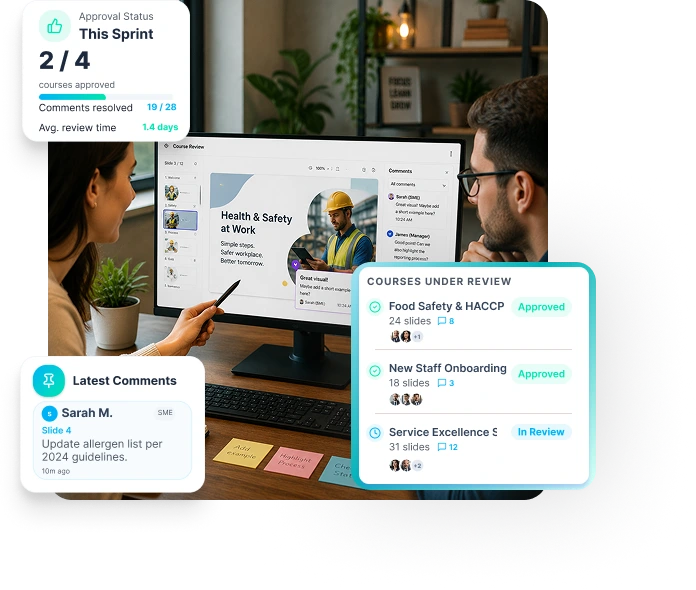
Every comment is attached to the exact slide it references. L&D managers and course authors can see all reviewer input in a single dashboard - no more hunting through email chains or trying to match version numbers.
Ensure Real-Time Approval with Built-In Comments
When changes are made, reviewers see them immediately. Resolve comments, reply to feedback, and collect final approval - all without leaving the authoring tool. Every step is logged and transparent.
How It Works
End-to-End Course Review, Simplified
Step 1
Invite Collaborators - No Login Required
- Invite multiple internal and external collaborators at the same time
- Include teams, SMEs, and stakeholders in one review cycle
- Reviewers access the course directly in their web browser
- No Paradiso Authoring Tool login required


Step 2
Add In-Context Feedback on Slides
- Add comments directly on specific course slides
- Keep feedback tied to the exact screen for better clarity
- Eliminate confusion caused by emails and offline notes
- Ensure all feedback stays centralized in one place
Step 3
Update in Real Time
- Make instant content changes as feedback comes in
- Reply to comments directly within the course
- Apply revisions immediately to avoid rework
- Keep collaborators aligned with real-time updates


Step 4
Track, Finalize & Approve
- Monitor feedback and approval status in one view
- Resolve comments faster without missing any inputs
- Secure approvals directly within the platform
- Finalize the course seamlessly once all feedback is addressed
Got Questions?
Frequently Asked Questions
Get Started