
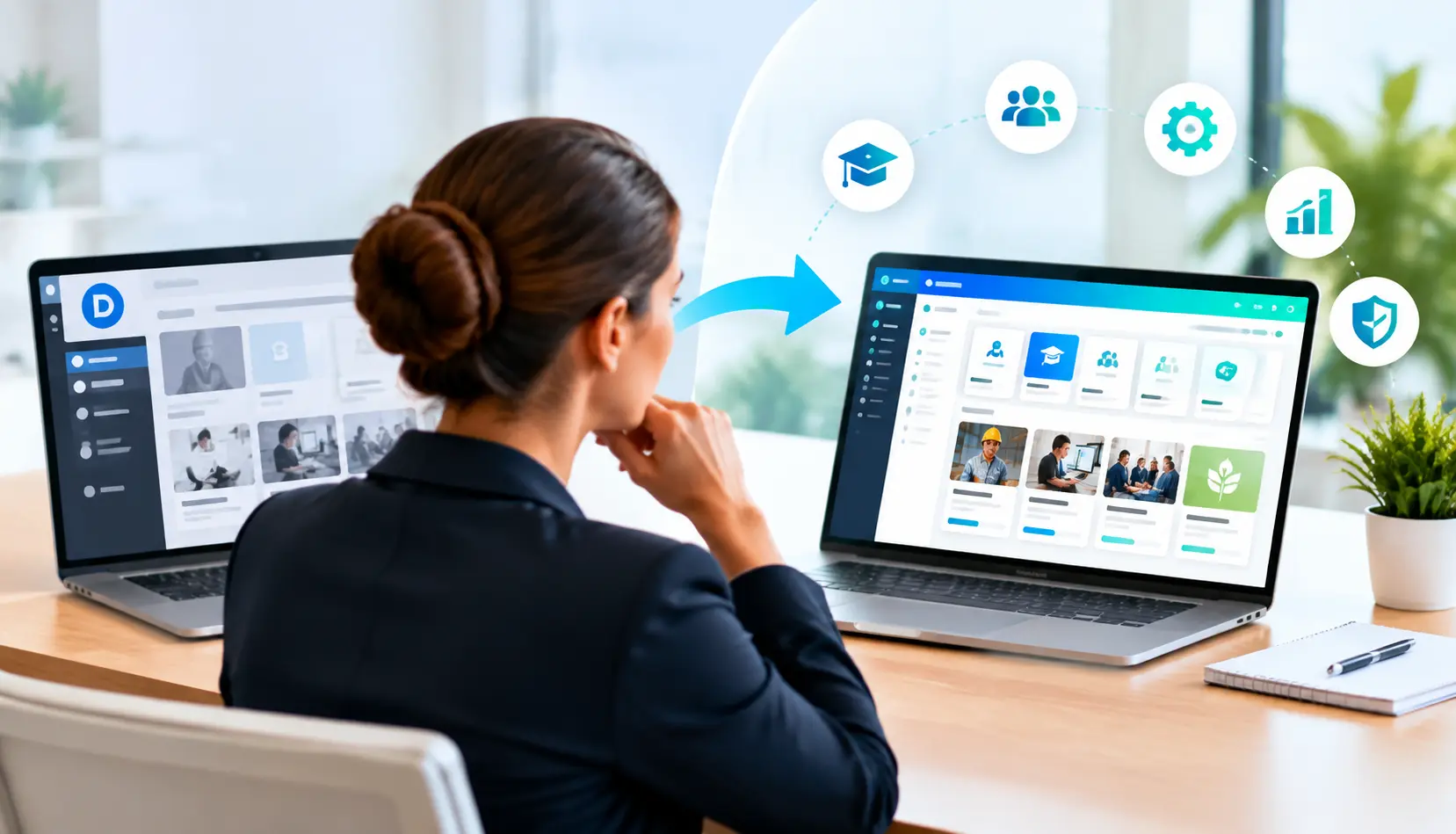




Choosing a new LMS is rarely difficult because there are not enough options. It becomes difficult because many platforms look similar during evaluation, but the differences become clear only when your L&D team starts managing real training programs.
A company may begin with a simple requirement: deliver employee courses and track completion. But as learning needs expand, the LMS often needs to support employee onboarding, customer education, partner certification, sales enablement, and compliance learning. At that stage, your team may start researching Docebo alternatives to find a platform that better fits its learning strategy.
Docebo is a recognized LMS platform used by organizations for employee learning, customer training, and extended enterprise learning. However, the right LMS depends on more than features. Your decision should consider your learner audiences, technology environment, reporting requirements, content strategy, and future growth plans.
A strong corporate LMS should help your team create meaningful learning experiences, reduce administrative effort, and connect training activities with business outcomes. For organizations managing multiple learning audiences, an enterprise LMS can provide centralized training management, automation, integrations, and reporting capabilities across departments and regions.
This guide compares Docebo LMS alternatives, including Paradiso LMS, Moodle, Canvas, Cornerstone, and Absorb. It also explains what to evaluate before switching platforms and what to consider during LMS migration.
Selecting the right learning management system requires understanding your learners, technology environment, integration requirements, and long-term training goals.
Quick Answer: What Are the Best Docebo Alternatives?
The best Docebo alternative depends on what your organization needs from its learning platform.
Paradiso LMS is worth evaluating if you need an LMS that supports multiple learning audiences, including employees, customers, partners, and compliance learners. Moodle may be suitable for organizations looking for an open-source approach with customization flexibility. Canvas is commonly associated with academic learning environments, while Cornerstone and Absorb are platforms often considered by organizations evaluating enterprise learning solutions.
The right choice depends on questions such as:
- Do you need to train employees, customers, partners, or all three?
- How important are integrations with HR, CRM, and business systems?
- How does your team measure learning effectiveness?
- How much flexibility does your L&D team require?
There is no single LMS platform that works for every organization. The best choice is the one that supports your learning goals and operational requirements.
Why Are Organizations Looking for Docebo Alternatives?
Organizations usually do not start searching for a Docebo alternative because of one missing feature. The decision often happens when their learning environment becomes more complex.
A growing company may initially use an LMS for employee onboarding and required training. Over time, the same platform may need to support professional development, customer education, partner programs, product certifications, and workforce capability development.
The LMS then becomes more than a place to store courses. It becomes part of how the organization builds skills, shares knowledge, and supports business growth.
For example, imagine a software company expanding into new markets. The L&D team may need to train new employees internally, prepare sales teams with updated product knowledge, certify implementation partners, and provide customers with self-service learning resources.
Each group has different needs.
Employees may require structured learning paths based on their roles. Partners may need certification tracking. Customers may need access to specific courses without seeing internal training content.
This is where companies begin evaluating Docebo competitors and comparing different LMS approaches.
Growing Training Audiences Create New LMS Requirements
Many organizations begin their LMS journey with employee onboarding software requirements before expanding into broader learning programs.
An LMS that works well for internal training may not automatically support external learning programs.
For example, employee training often requires:
- Role-based learning paths
- Manager visibility
- Development programs
- Compliance tracking
Customer or partner training may require:
- Self-service access
- Certification workflows
- External user management
- Branded learning experiences
When evaluating alternatives to Docebo LMS, your team should consider whether the platform can support your current learners and the audiences you may need to train in the future.
A flexible LMS can help your organization expand learning programs without creating separate systems for every audience.
Integration Needs Become More Important as Learning Scales
Modern learning platforms rarely work alone.
Organizations delivering instructor-led and online programs should also evaluate virtual classroom capabilities that support blended learning experiences.
Your LMS needs to connect with the systems your organization already uses. These connections help automate workflows, improve data accuracy, and reduce manual administration.
Common integrations include:
- HRIS platforms for employee information
- CRM systems for customer and partner learning
- ERP systems for business workflows
- Single sign-on systems for secure access
- Content platforms and learning tools
For example, when a new employee joins the organization, an HRIS integration can automatically create a learner profile and assign onboarding courses based on their role.
When that employee completes training, learning data can be used by managers and L&D teams to understand progress.
The same principle applies to customer and partner education. A completed certification may need to connect with business processes outside the LMS.
This is why LMS integrations should be a major evaluation factor when comparing Docebo alternatives. A platform should not only manage learning content but also fit into your wider technology environment.
Learning Measurement Has Expanded Beyond Course Completion
Many organizations begin evaluating LMS platforms by looking at basic training metrics.
Completion rates, assessment scores, and course participation are useful. But they do not always show whether learning created meaningful improvement.
Modern L&D teams increasingly need to understand:
- Whether employees developed new skills
- Whether training improved performance
- Which programs created value
- Where additional learning support is needed
For example, a sales team may complete product training, but the larger question is whether representatives can apply that knowledge during customer conversations.
A strong LMS helps your team connect learning activity with business outcomes.
When comparing Docebo LMS alternatives, reporting capabilities should be evaluated based on the decisions they help your L&D team make, not just the number of available dashboards.
Enterprise LMS Solution
Looking for the Right Docebo Alternative?
Choosing an LMS is a long-term decision that impacts how your organization delivers learning, develops skills, and supports business growth. Explore how Paradiso LMS supports employee, customer, partner, and compliance training through a flexible enterprise learning platform.
Discover the right LMS for your learning needs
What Should You Compare Before Choosing a Docebo LMS Alternative?
Choosing between Docebo LMS alternatives requires looking beyond feature lists. Two platforms may offer similar capabilities but create very different experiences for your administrators, learners, and business teams.
The right LMS should support the way your organization delivers learning today while giving your L&D team room to grow. Before switching platforms, evaluate how the system handles your learner audiences, technology environment, content ecosystem, reporting requirements, and future training needs.
A structured evaluation process helps you avoid choosing a platform based only on a product demo. Instead, you can select an LMS that fits your actual workflows.
Does the LMS Support Your Different Learning Audiences?
The first question to ask is not “What features does this LMS have?”
It is:
“Who needs to learn through this platform?”
Your learner groups should guide your LMS evaluation.
Many organizations no longer train only internal employees. Modern learning programs often include employees, customers, partners, contractors, and external audiences.
Each group has different expectations.
Employees may need onboarding programs, skill development, compliance training, and career-focused learning paths. Customers may need product education and self-service resources. Partners may require certification programs before they can deliver services or represent your brand.
For example, a manufacturing organization may use one LMS to train factory employees on safety procedures, distributors on product knowledge, and customers on equipment usage.
The learning goals are different, but the organization benefits from managing these experiences through a connected platform.
When comparing Docebo alternatives, evaluate whether the LMS can support multiple audiences without forcing your team to manage separate learning systems.
This is especially important for organizations looking beyond traditional employee training and investing in broader employee training software capabilities.
How Flexible Are the LMS Integrations?
An LMS should connect with the tools your organization already uses.
Without strong integrations, your L&D team may spend unnecessary time managing users, updating records, and transferring information manually.
A modern LMS may need to connect with:
- HRIS platforms
- CRM systems
- ERP systems
- Identity providers
- Video conferencing tools
- Content libraries
- Reporting systems
For example, an HRIS integration can automatically send employee information into the LMS when someone joins the company. The system can then assign learning based on department, role, location, or job requirements.
A CRM integration can support customer or partner training by connecting certification data with business workflows.
These connections create a smoother experience for both learners and administrators.
When reviewing Docebo competitors, do not only ask whether an integration exists. Ask how the integration works in practice.
Important questions include:
- Is user data synchronized automatically?
- Can roles and permissions be managed efficiently?
- Can completion data flow back into other systems?
- Does the LMS support APIs or webhooks when custom workflows are required?
A strong integration strategy helps your LMS become part of your learning ecosystem rather than another disconnected tool.
Explore how LMS integrations support connected learning environments: LMS integrations → /lms-integrations
Does the LMS Support Your Existing Learning Content?
Content investment is one of the biggest considerations when changing LMS platforms.
Most organizations already have years of learning assets, including online courses, assessments, videos, certifications, and learning paths.
Moving to a new LMS should not mean rebuilding everything from the beginning.
Before selecting a Docebo LMS alternative, review how the platform handles common learning standards and content formats.
SCORM Support
SCORM remains one of the most widely used standards for eLearning content.
A SCORM-compatible LMS can communicate with courses created in authoring tools and track information such as:
- Completion status
- Assessment scores
- Learner progress
- Time spent
Your team should test whether existing SCORM courses work correctly after migration.
xAPI Support
xAPI allows organizations to track learning activities beyond traditional courses.
This can include:
- Simulations
- Mobile learning experiences
- Real-world performance activities
- External learning experiences
For organizations building more flexible learning ecosystems, xAPI can provide deeper visibility into how learning happens.
cmi5 Support
cmi5 combines the flexibility of xAPI with LMS-based course management.
Organizations evaluating modern LMS platforms should understand whether cmi5 support aligns with their future learning strategy.
Authoring and Content Creation
Your LMS should also work well with your content development process.
If your team regularly creates new courses, evaluate whether the platform works with your preferred eLearning authoring tool.
A connected authoring and delivery process helps L&D teams create, update, and distribute learning content more efficiently.
How Strong Are the Reporting and Analytics Capabilities?
Reporting is one of the most important areas when comparing Docebo alternatives.
However, effective reporting is not about having the largest number of dashboards. It is about helping your team understand what is happening and what actions to take next.
Basic LMS reporting may show:
- Course completion
- Assessment results
- Learner activity
More advanced reporting helps answer questions such as:
- Which skills are improving?
- Which teams need additional support?
- Which learning programs are creating value?
- Are employees applying what they learned?
For example, an organization launching leadership development training may want to know more than whether managers completed the program. The L&D team may want to understand whether managers are applying new skills during performance conversations.
When evaluating LMS platforms, consider whether reporting supports decision-making.
A useful LMS report should help your team improve learning programs, not simply document activity.
Can the LMS Scale With Your Future Training Needs?
The LMS you choose should support where your organization is heading.
Many companies outgrow their first LMS because their training requirements expand.
A platform that works for internal employee learning may later need to support:
- Global employee training
- Customer education
- Partner certification
- Compliance programs
- Sales enablement
- External learning portals
Scalability is not only about the number of users.
It also includes:
- Administration flexibility
- Automation options
- Learning path management
- Localization support
- Integration capabilities
- Reporting requirements
For example, a global organization may need different learning experiences for employees in different regions while maintaining consistent training standards.
When evaluating LMS platforms like Docebo, consider whether the platform can adapt as your learning strategy changes.
How Important Are AI Capabilities When Comparing LMS Platforms?
AI is becoming a growing consideration in LMS evaluations, but the focus should remain on practical outcomes.
The question is not whether a platform includes AI. The question is whether AI helps your learners and L&D team solve real problems.
Useful AI applications may include:
- Helping learners discover relevant content
- Supporting personalized learning recommendations
- Improving content management workflows
- Identifying learning trends
For example, employees often struggle to find the right training resource among hundreds of available courses. AI-supported recommendations can help learners discover content that matches their role or development goals.
When comparing Docebo alternatives, evaluate AI based on how it improves learning experiences rather than treating it as a standalone feature.
AI-Powered Learning Platform
Explore the Future of AI-Driven Learning
Discover how AI-powered LMS platforms help organizations deliver personalized learning experiences, automate training workflows, and improve workforce development.
Learn how AI transforms workplace learning
Docebo Alternatives Comparison: Which LMS Platforms Should You Consider?
Comparing Docebo alternatives requires understanding how each platform approaches learning management. The best LMS is not always the one with the most features. It is the platform that fits your organization’s learners, workflows, technology environment, and long-term training goals.
Some platforms focus on enterprise learning ecosystems. Others prioritize customization, academic workflows, or specific business use cases. Before choosing a replacement or alternative to Docebo, your team should understand where each platform fits.
The comparison below highlights the general positioning of leading LMS platforms. Your final decision should be based on your organization’s requirements, implementation needs, and learning strategy.
| LMS Platform | Best Fit | Key Strengths | Considerations |
|---|---|---|---|
| Paradiso LMS | Organizations managing employee, customer, partner, and compliance training | Supports multiple learning audiences, integrations, personalized learning experiences, and enterprise training workflows | Best evaluated based on specific learning goals and technology requirements |
| Docebo | Organizations looking for an enterprise LMS with broad learning delivery capabilities | Established LMS platform supporting employee learning, customer training, and extended enterprise learning | Teams should evaluate pricing approach, workflows, integrations, and long-term fit |
| Moodle | Organizations looking for open-source LMS flexibility | High customization potential and community-driven development approach | Requires technical resources for configuration, maintenance, and customization |
| Canvas | Education-focused institutions and academic learning environments | Strong classroom-oriented learning workflows, assessments, and course management | Corporate L&D requirements may differ from academic use cases |
| Cornerstone | Large organizations evaluating learning alongside broader talent management systems | Enterprise HR technology ecosystem and workforce development capabilities | May involve broader talent platform considerations beyond LMS needs |
| Absorb | Organizations evaluating corporate learning platforms | Corporate training capabilities, learner experience focus, and administration tools | Organizations should compare workflows, integrations, and packaging options |
What Should You Know About Docebo?
Docebo is an enterprise LMS platform designed to support different types of learning experiences, including employee training, customer education, and extended enterprise learning.
Organizations often evaluate Docebo because they need a platform capable of managing learning across different audiences. A company may use the LMS for internal employee development while also supporting external learners such as customers or partners.
For example, a technology company may use an LMS to onboard new employees, train sales teams on product updates, and certify partners who deliver implementation services.
When evaluating Docebo LMS alternatives, teams should consider whether the platform aligns with their specific operational needs.
Important evaluation areas include:
- How administrators manage different learner groups
- How learning data connects with existing systems
- How reporting supports business decisions
- How easily the platform adapts as training requirements change
Docebo may be a suitable option for organizations looking for an established learning platform. However, every organization should compare platforms based on its own learning model rather than assuming one LMS approach fits all situations.
Why Do Organizations Consider Paradiso LMS as a Docebo Alternative?
Organizations comparing Docebo alternatives often look beyond course delivery. They need a platform that can support different learning audiences and connect training with broader business objectives.
Paradiso LMS is designed for organizations that need to manage employee learning, customer education, partner training, and compliance programs through a flexible learning environment.
For example, consider an organization that trains employees internally while also providing certification programs for partners. The company needs different learning experiences, different access requirements, and different reporting needs.
A flexible LMS helps manage these programs without creating disconnected systems.
Paradiso LMS supports organizations evaluating areas such as:
- Employee development
- Customer education
- Partner enablement
- Compliance training
- Learning analytics
- Business system integrations
For companies looking for employee training software, the LMS evaluation should focus on how well the platform supports the complete employee learning journey, from onboarding through continuous development.
Explore related solution:
Employee training software → /employee-training-software
Is Moodle a Good Docebo Alternative?
Moodle takes a different approach from many commercial LMS platforms.
As an open-source LMS, Moodle provides organizations with significant flexibility and customization options. This makes it attractive to teams that want more control over their learning environment.
Organizations with internal technical resources may use Moodle to customize workflows, develop integrations, and adapt the platform according to specific requirements.
However, flexibility also comes with responsibility.
Before choosing Moodle as a Docebo alternative, your team should consider:
- Who will manage hosting?
- Who will maintain updates?
- Who will handle customization?
- Who will support technical issues?
For organizations that prioritize technical control, Moodle can be a strong option. For teams looking for a managed enterprise learning platform with less technical ownership, other LMS approaches may be more suitable.
Is Canvas a Docebo Alternative for Corporate Training?
Canvas is widely recognized as a learning platform used in educational environments.
Its strengths are often associated with academic learning workflows, including instructor-led courses, assessments, assignments, and classroom management.
Organizations evaluating LMS platforms like Docebo should consider whether Canvas aligns with their corporate learning requirements.
Corporate L&D programs often involve needs such as:
- Employee onboarding
- Sales enablement
- Compliance learning
- Partner certification
- Customer education
These workflows can differ significantly from academic learning environments.
For example, a university course and an employee onboarding program both involve learning content, but they require different approaches to administration, reporting, learner access, and business integration.
Canvas can be a strong choice for education-focused learning environments. Organizations considering it for corporate training should carefully evaluate whether its approach matches their business learning needs.
How Does Cornerstone Compare With Docebo?
Cornerstone is often evaluated by organizations looking for a broader talent management ecosystem.
For large enterprises, learning decisions are sometimes connected with wider workforce development strategies. Companies may want their LMS to work alongside talent management, performance management, and employee development processes.
When comparing Cornerstone with Docebo competitors, the evaluation often focuses on the broader HR technology environment.
Important questions include:
- Does your organization need a complete talent ecosystem?
- How important is integration with HR processes?
- How does your team manage employee development?
- What reporting capabilities are required?
Cornerstone may appeal to organizations looking for a broader workforce technology approach. Other organizations may prefer an LMS-focused platform depending on their training goals.
How Does Absorb Compare With Other Docebo Competitors?
Absorb is another corporate LMS platform organizations may evaluate when comparing learning solutions.
Organizations often review Absorb based on factors such as learner experience, administration workflows, reporting capabilities, and corporate training support.
Like other LMS platforms, the right fit depends on how your organization delivers learning.
A company building internal employee development programs may prioritize different capabilities from a company managing customer education or partner certification.
When evaluating Absorb against other Docebo alternatives, consider:
- Learner experience
- Administration requirements
- Integration needs
- Reporting expectations
- Scalability
The most useful comparison is not simply which platform offers more capabilities. It is which platform supports your actual learning workflows.
How Do You Migrate From Docebo to Another LMS?
Switching from Docebo to another learning platform is not simply a technology replacement. It is an opportunity to review your learning ecosystem, improve training workflows, and create a better experience for administrators and learners.
When organizations evaluate Docebo alternatives, migration planning is one of the most important parts of the decision. A new LMS may provide better alignment with your learning strategy, but the transition needs careful planning to protect your courses, learner records, integrations, and reporting processes.
A successful LMS migration balances technical execution with learning strategy. The goal is not only to move existing data into a new platform. The goal is to create a cleaner, more effective learning environment.
Why Should You Plan Your LMS Migration Before Switching Platforms?
Many organizations underestimate LMS migration because they think of it as moving courses and users from one system to another.
In reality, an LMS contains much more than training content.
Over time, your platform may include:
- Hundreds of courses
- Learning paths
- Assessments
- Certifications
- User groups
- Completion records
- Reports
- Integrations
- Automation workflows
A migration provides an opportunity to evaluate what your organization actually needs moving forward.
For example, an L&D team that has used the same LMS for several years may discover that some courses are outdated, some learner groups are no longer active, and some reports are no longer useful.
Instead of transferring every item into the new platform, a structured migration process allows your team to improve the learning environment.
Step 1: Audit Your Existing Learning Content
Before moving content from Docebo to a new LMS, review your existing learning library.
Your content audit should identify:
- Which courses are still relevant
- Which courses require updates
- Which materials should be archived
- Which learning paths should be redesigned
Many organizations accumulate content over time. A migration is a good opportunity to remove outdated materials and improve the learner experience.
For example, a company may have multiple versions of the same compliance course created for different departments. During migration, the L&D team can consolidate these resources into a single updated learning experience.
This reduces content duplication and makes the new LMS easier to manage.
Many organizations use compliance training programs to manage mandatory learning requirements and maintain visibility into completion records.
How Do SCORM, xAPI, and cmi5 Content Impact Migration?
Content standards play an important role when moving between LMS platforms.
Organizations often have significant investments in digital learning content created using standards such as SCORM, xAPI, and cmi5.
Understanding how these standards work helps your team plan a smoother migration.
Successful LMS implementation requires planning around content migration, integrations, user data, testing, and administrator readiness.
SCORM Content Migration
SCORM remains one of the most common standards used for eLearning courses.
SCORM allows courses created in authoring tools to communicate with an LMS by tracking information such as:
- Course completion
- Assessment scores
- Learner progress
- Time spent learning
During migration, your team should test whether existing SCORM courses continue to work correctly in the new LMS.
Important checks include:
- Does the course launch correctly?
- Are completion records captured?
- Do assessments report accurately?
- Are learner bookmarks maintained?
A course that worked in one LMS may require testing or configuration changes in another environment.
xAPI Content Migration
xAPI expands learning tracking beyond traditional LMS-based courses.
It can capture learning activities such as:
- Simulations
- Mobile learning experiences
- External learning activities
- Performance-based learning
Organizations using xAPI should review how learning statements are captured and reported in the new LMS environment.
This is especially important for companies building modern learning ecosystems that include multiple learning experiences beyond traditional courses.
cmi5 Content Migration
cmi5 combines LMS course management capabilities with xAPI flexibility.
Organizations using cmi5 should review:
- Course launch behavior
- Authentication requirements
- Tracking requirements
- Reporting expectations
When comparing Docebo LMS alternatives, content compatibility should be evaluated before migration begins.
Step 2: Plan User and Learner Data Migration
Moving users requires more than transferring names and email addresses.
Your migration plan should consider:
- User profiles
- Roles
- Permissions
- Departments
- Groups
- Enrollment information
- Completion history
Historical learning records are especially important for organizations managing compliance training.
For example, if an employee completed required safety training before migration, that record may need to remain available after moving to the new LMS.
Your team should define:
- Which users will migrate
- Which user groups need to be recreated
- Which permissions need adjustment
- How new users will be added after launch
A clear user migration plan reduces disruption and ensures learners can continue accessing required training.
Step 3: Review LMS Integrations and Data Connections
Integrations are often one of the most complex parts of an LMS migration.
Your LMS may connect with:
- HRIS platforms
- CRM systems
- ERP systems
- Single sign-on providers
- Content libraries
- Reporting tools
Before migration, document how these connections currently work.
For example, an HRIS integration may automatically create learner accounts, assign training, and update employee information.
After migration, these workflows need to be recreated and tested.
Your team should review:
- User provisioning
- Authentication
- Data synchronization
- Reporting workflows
- API connections
A strong integration strategy helps prevent manual administration after launch.
LMS Integrations
Connect Your Learning Ecosystem Seamlessly
Explore how LMS integrations help connect your learning platform with HR systems, CRM tools, content platforms, and business applications to create a unified training experience.
Discover connected learning solutions
Step 4: Validate Reporting and Historical Learning Data
Reporting requirements should be defined before moving platforms.
Your organization may need to preserve:
- Course completion history
- Certification records
- Assessment results
- Compliance records
- Learner activity reports
Different organizations measure learning success differently.
A manufacturing company may focus on compliance completion. A software company may track product certification. A sales organization may measure training readiness.
Your new LMS should support the reporting requirements that matter most to your business.
Step 5: Test Before Launching the New LMS
Testing is one of the most important stages of migration.
Before moving all learners, create a testing environment and validate:
- Course access
- Learning paths
- Assessments
- Certificates
- User permissions
- Integrations
- Reports
Include different users in testing:
- Learners
- Managers
- Trainers
- LMS administrators
Each group experiences the platform differently.
A learner may identify navigation problems. A manager may discover reporting gaps. An administrator may find configuration issues.
Testing helps your team solve problems before they affect the wider organization.
Step 6: Improve Your Learning Environment After Migration
A migration should not only recreate your old LMS.
It should improve your learning strategy.
After moving platforms, consider:
- Updating outdated courses
- Simplifying learning paths
- Improving learner navigation
- Creating more personalized experiences
- Improving reporting processes
For example, instead of assigning the same onboarding courses to every employee, your team may create role-based learning paths that provide more relevant training.
Related resource:
Learning paths → /blog/learning-paths/
How Should Migration Influence Your LMS Decision?
Migration planning often changes how organizations evaluate Docebo alternatives.
A platform may appear suitable based on features alone, but the real test is whether it supports your existing learning ecosystem and future requirements.
Before selecting your next LMS, evaluate:
- Content compatibility
- Data migration options
- Integration capabilities
- Reporting support
- Administration workflows
- Learner experience
The right LMS should not only help you move away from your current platform. It should help your organization deliver better learning experiences after the transition.
Why Consider Paradiso LMS as a Docebo Alternative?
When evaluating Docebo alternatives, the most important consideration is not simply whether another platform has similar features. The better question is whether the LMS supports your organization’s learning strategy, learner audiences, technology ecosystem, and future training requirements.
Many organizations begin searching for a new LMS when their learning needs expand. What starts as employee training may eventually include customer education, partner enablement, compliance programs, sales training, and continuous workforce development.
At that point, the LMS becomes a central part of how the organization delivers knowledge and builds capabilities.
Paradiso LMS is designed for organizations that need a flexible enterprise learning platform supporting different learning audiences through a connected learning environment.
Supporting Employee, Customer, and Partner Learning Through One Platform
One of the biggest challenges for modern L&D teams is managing multiple learning audiences without creating disconnected systems.
A company may need to train employees internally while also educating customers and enabling external partners.
For example, a software organization may use its LMS to:
- Onboard new employees
- Train sales teams on product updates
- Certify implementation partners
- Educate customers on product usage
Each audience requires a different learning experience.
Employees may need structured onboarding and development programs. Customers may need self-service training resources. Partners may need certification tracking and access control.
A flexible LMS helps organizations manage these different learning journeys while maintaining centralized administration and reporting.
When comparing Docebo LMS alternatives, organizations should consider whether the platform can support their complete learning ecosystem rather than only internal employee training.
For companies looking for stronger employee training software, the LMS should support learning throughout the employee lifecycle, from onboarding to ongoing professional development.
Employee Training Software
Improve Workforce Learning with Employee Training Software
Create structured employee learning experiences, deliver role-based training, track learner progress, and support continuous workforce development with a powerful employee training platform.
Build scalable employee learning programs
Connecting Learning With Business Systems Through Integrations
A modern LMS needs to work alongside the systems that already support your business.
Learning data often connects with:
- HR systems
- CRM platforms
- ERP solutions
- Identity management systems
- Business applications
These connections help automate workflows and reduce administrative effort.
For example, when a new employee joins the company, employee information can be synchronized into the LMS. Based on their role or department, they may receive relevant onboarding or compliance training.
Similarly, partner certification data may need to connect with customer relationship systems to support business processes.
When evaluating Docebo competitors, integration capability should be considered as part of the overall learning experience.
A platform should help your team create connected workflows instead of adding more manual tasks.
Learn more:
LMS integrations → /lms-integrations
Creating Personalized Learning Experiences
Modern learners expect training that is relevant to their roles and goals.
A common challenge with traditional LMS platforms is that learners are often presented with large libraries of content without enough guidance on what they should complete next.
Personalized learning helps organizations create more targeted experiences.
For example:
A new sales employee may need product knowledge, customer conversation training, and sales methodology courses.
An experienced sales professional may need advanced negotiation training or leadership development.
These learners should not necessarily follow the same learning journey.
A flexible LMS can support:
- Role-based learning paths
- Personalized course recommendations
- Targeted development programs
- Different learning experiences for different audiences
When comparing alternatives to Docebo LMS, consider whether the platform helps learners discover relevant training rather than simply providing access to more content.
Supporting Compliance and Skills Development
Many organizations use LMS platforms to manage mandatory learning requirements.
Compliance training requires more than assigning courses. Organizations often need visibility into:
- Who completed required training
- When certifications expire
- Which employees need additional learning
- Whether managers have visibility into completion status
A strong LMS helps organizations maintain structured compliance workflows while supporting broader skill development.
For example, an organization may need employees to complete annual compliance training while also providing optional learning paths for career development.
Organizations evaluating Docebo alternatives should consider whether the LMS can support compliance training platform workflows, certification tracking, and reporting requirements.
This combination of required and continuous learning is becoming increasingly important for modern L&D teams.
Compliance Training Platform
Build a Stronger Compliance Training Program
Deliver consistent compliance training, track employee progress, manage certifications, and create a structured learning experience with a powerful compliance training platform.
Simplify compliance learning management
Using AI to Improve Learning Experiences
AI capabilities are becoming an important consideration when comparing LMS platforms like Docebo.
However, the value of AI depends on how effectively it supports learners and administrators.
Useful AI applications in learning platforms may include:
- Helping learners find relevant content
- Supporting personalized learning recommendations
- Improving content management workflows
- Identifying learning patterns
For example, employees often know they need to develop a skill but may not know which resources are most relevant. AI-supported recommendations can help connect learners with appropriate content.
AI should support the learning strategy created by L&D teams rather than replace human decision-making.
Supporting Content Creation and Learning Delivery
Learning teams need both content creation and delivery capabilities.
Many organizations use authoring tools to create courses, simulations, assessments, and interactive learning experiences. The LMS then becomes the system where these resources are distributed, tracked, and managed.
When evaluating a Docebo alternative, consider how easily the platform fits into your content development workflow.
Important considerations include:
- Course creation processes
- Content updates
- Learning activity tracking
- Assessment management
- Reporting
A connected content creation and delivery process helps L&D teams respond faster when training requirements change.
Why the Right LMS Decision Goes Beyond Features?
Every organization evaluates LMS platforms with different priorities.
For one company, the most important factor may be customer education. For another, it may be employee development, compliance management, or partner certification.
The right LMS should align with:
- Your learner audiences
- Your business systems
- Your content strategy
- Your reporting needs
- Your future growth plans
When comparing Docebo alternatives, focus on how the platform supports your real learning workflows.
A successful LMS investment should help your L&D team deliver better learning experiences, simplify administration, and connect learning activities with business goals.
Docebo Alternative
Explore Paradiso LMS as a Docebo Alternative
If your organization is evaluating Docebo alternatives, explore how Paradiso LMS supports employee training, customer education, partner learning, compliance programs, integrations, analytics, and scalable learning delivery.
Get a personalized LMS walkthrough
How Do You Choose the Right Docebo Alternative for Your Organization?
Choosing between Docebo alternatives is ultimately about finding the right fit for your learning strategy, not simply selecting the platform with the longest feature list.
Every organization has different training requirements. A company focused on employee onboarding may prioritize different capabilities from a company managing customer education, partner certification, or global compliance training.
The best LMS decision comes from understanding your learners, your business processes, and your future goals before comparing platforms.
Beyond comparing LMS features, organizations should evaluate how those capabilities support real learning workflows, integrations, reporting, and scalability.
Start With Your Learning Requirements
Before comparing LMS vendors, define what your organization needs the platform to accomplish.
Many LMS evaluations begin with feature comparisons:
“Does this platform have reporting?”
“Does this platform support integrations?”
“Does this platform include AI capabilities?”
These questions matter, but they should come after understanding your learning objectives.
Start with questions such as:
- Who are our learners?
- What type of training do we deliver?
- Which learning programs need the most improvement?
- What systems should connect with our LMS?
- How will we measure learning success?
For example, an organization managing employee onboarding, customer education, and partner certification will need a different LMS approach from a company focused only on internal compliance training.
Understanding your requirements first makes it easier to evaluate whether a platform truly fits.
Evaluate the LMS Around Real Learning Workflows
A good LMS should support how your teams actually work.
Consider the daily activities of different users.
Learners
Ask:
- Is it easy for learners to find relevant content?
- Can employees access learning based on their roles?
- Can external learners access the right resources?
Managers
Ask:
- Can managers view team progress?
- Can they identify skill gaps?
- Can they support employee development?
Administrators
Ask:
- How easy is it to create and manage learning programs?
- Can workflows be automated?
- Can reports be customized?
An LMS may look impressive during a product demonstration, but the real test is how effectively it supports everyday learning operations.
Consider Your Long-Term Training Strategy
The LMS you choose today should support where your organization is going.
Training needs often expand over time.
A company may start with employee learning but later need:
- Customer education
- Partner enablement
- Product certification
- Sales training
- Compliance programs
- Professional development
A platform that supports growth reduces the need for another LMS replacement in the future.
For example, a growing technology company may initially need employee onboarding. Later, it may need a customer academy and partner certification program.
The LMS should be capable of supporting that expansion.
Avoid Choosing an LMS Based Only on Features
Feature comparisons are useful, but they should not be the only factor.
Most modern LMS platforms include common capabilities such as:
- Course management
- User administration
- Assessments
- Reporting
- Learning paths
The difference often comes down to how those capabilities work within your environment.
A platform may have advanced functionality but still create challenges if:
- It does not fit your workflows
- It requires excessive manual administration
- It does not integrate with your systems
- It cannot support your learner audiences
When comparing Docebo competitors, evaluate how the platform solves your organization’s specific challenges.
Organizations delivering customer education should evaluate whether their LMS supports customer training programs with flexible access, tracking, and reporting.
Plan Your LMS Implementation and Migration Early
The LMS decision does not end when you select a platform.
Implementation planning is equally important.
Before choosing a Docebo LMS alternative, understand:
- How existing content will migrate
- How users will be transferred
- How integrations will be rebuilt
- How administrators will be trained
- How learners will transition
A platform that matches your requirements but creates a difficult implementation experience may delay the benefits you expect.
A strong vendor evaluation should include implementation discussions, migration planning, and post-launch support expectations.
Final Thoughts: Finding the Right Docebo Alternative
The best Docebo alternative depends on your organization’s learning goals, technology environment, and learner needs.
Platforms such as Paradiso LMS, Moodle, Canvas, Cornerstone, and Absorb each approach learning management differently. Some organizations may prioritize customization, while others may focus on enterprise workflows, integrations, or supporting multiple learning audiences.
Before making a decision, focus on the areas that will have the biggest impact on your L&D team:
- Learner experience
- Integration capabilities
- Content management
- Reporting and analytics
- Scalability
- Migration requirements
A successful LMS selection is not about finding the platform with the most features. It is about choosing a solution that helps your organization deliver effective learning experiences now and in the future.
Frequently Asked Questions About Docebo Alternatives
What are the best Docebo alternatives?
The best Docebo alternatives depend on your organization’s requirements. Platforms such as Paradiso LMS, Moodle, Canvas, Cornerstone, and Absorb are commonly evaluated based on factors including learner audiences, integrations, customization needs, reporting capabilities, and scalability.
What is the best Docebo LMS alternative for corporate training?
The best Docebo LMS alternative for corporate training depends on your organization’s learning model. Companies should evaluate whether the platform supports employee development, customer education, partner training, compliance programs, integrations, and analytics requirements.
Which LMS platforms are similar to Docebo?
LMS platforms like Docebo include Paradiso LMS, Moodle, Canvas, Cornerstone, and Absorb. Each platform has different strengths depending on the type of learning environment an organization needs to create.
Why do companies search for Docebo competitors?
Companies evaluate Docebo competitors when their learning requirements change. Common reasons include the need for different integrations, support for multiple learner audiences, improved reporting, greater flexibility, or a different approach to managing training programs.
How difficult is it to migrate from Docebo?
The difficulty of migrating from Docebo depends on factors such as content volume, user data, integrations, historical learning records, and reporting requirements. A structured migration plan helps organizations reduce disruption and maintain learning continuity.
Is Paradiso LMS a Docebo alternative?
Yes. Paradiso LMS can be evaluated as a Docebo alternative for organizations looking for an LMS that supports employee training, customer education, partner learning, compliance training, integrations, analytics, and scalable learning delivery.
Enterprise LMS Solution
Looking for the Right Docebo Alternative?
Choosing an LMS is a long-term decision that impacts how your organization delivers learning, develops skills, and supports business growth. Explore how Paradiso LMS supports employee, customer, partner, and compliance training through a flexible enterprise learning platform.
Discover the right LMS for your learning needs



