
WhatsApp Chat

Custom LMS for Employee Training: The Complete 2026 Guide

By Pradnya

Custom LMS for employee training

Most employee training programmes underperform not because the content is poor, but because the platform was never built for the organisation using it. Generic LMS products force teams to adapt their workflows to the software – creating compliance gaps, low completion rates, and training data that never connects to real business outcomes. A custom LMS for employee training solves this by designing the learning system entirely around your roles, processes, compliance requirements, and growth trajectory. This guide covers the full picture: what a custom LMS delivers, when it makes financial sense to build one, what it costs, how AI is changing what custom builds can do, and how to choose the right development partner in 2026.

A custom LMS for employee training is purpose-built software that delivers role-specific learning paths, automated compliance certification management, and deep HRIS integration – configured entirely around an organisation’s needs. Unlike SaaS alternatives, the organisation owns the platform, pays no per-seat fees, and controls the full training data architecture. The decision to build a custom LMS typically becomes financially justified when annual SaaS licensing costs exceed $100,000–$150,000 or when off-the-shelf platforms cannot meet compliance, integration, or role-specificity requirements. Paradiso Solutions has built and deployed custom LMS platforms across healthcare, financial services, manufacturing, and government sectors since 2011.

What Is a Custom LMS for Employee Training?

A custom LMS for employee training is a learning management system designed, developed, and configured to match the precise operational and pedagogical needs of a specific organisation. Unlike commercially licensed platforms that come with fixed feature sets, a custom LMS is built from the ground up — or substantially configured — to reflect your industry’s compliance requirements, your workforce’s skill gaps, your brand identity, and your existing HR and business system landscape.

At its core, an LMS manages the creation, delivery, and tracking of learning content. A custom version does all of this while also:

  • Mapping training modules to specific job roles and competency frameworks
  • Integrating natively with HRMS, CRM, ERP, and communication tools your teams already use
  • Enabling your own branding, terminology, and UX rather than the vendor’s defaults
  • Supporting automated enrolment, compliance workflows, and audit-ready reporting
  • Scaling as headcount, geographies, and regulatory requirements evolve

Define Must-Have LMS Features and Functionalities

Once you have established the learning goals, objectives, and audience profile, it’s time to outline the exact requirements for the LMS system, considering costs and features. Creating a detailed and thoughtful list of LMS requirements will make finding the ideal solution provider that perfectly matches your organization’s needs more accessible. This step ensures that the chosen LMS is equipped to deliver a successful and tailored training program.

1. Easy Customization and Scalability

Customizing a Learning Management System (LMS) means fitting it perfectly for your business needs and improving learning. Scalability ensures the LMS can grow as your organization’s learning needs change. Integration makes everything work together smoothly, like connecting different pieces of a puzzle. Customization and scalability make sure your LMS stays efficient and fits what your organization needs now and in the future.

2. Advanced Analytics and Reporting Capabilities

A custom LMS allows you to integrate advanced analytics capabilities. It helps you monitor learners’ progress, see if your courses are working well, and gather helpful information about your training program. By understanding this data, you can improve your training over time, meaning people learn more effectively, and your organization becomes more successful.

3. Support Flexibility in Content Formats

A personalized LMS is adaptable to different types of content, such as text, pictures, videos, interactive quizzes, and more. This versatility allows you to design captivating learning materials that suit various learning preferences and boost learner involvement and memory retention. Whether someone learns best through reading, watching, or doing, you can tailor the content to meet their needs, making the learning experience more effective and enjoyable.

4. Tailored Learning Journeys

You can create customized learning paths tailored to each learner’s requirements with a personalized LMS. This approach ensures that individuals can advance through the material quickly and concentrate on topics requiring more support. By providing targeted learning experiences, the LMS can enhance comprehension and skill development, resulting in more effective learning outcomes for each learner.

5. Gamification

In a custom LMS, you can include game-like features like earning points, badges, and competing on leaderboards. These elements transform learning into a fun and interactive experience, encouraging learners to stay engaged and motivated. By incorporating gamification, the LMS can foster a sense of competition and achievement among learners, driving them to participate in training activities and strive for excellence actively.

How Does a Custom LMS Improve Employee Training Outcomes?

Off-the-shelf LMS platforms are built for the average organisation. A custom LMS for employee training is built for your organisation — and that difference shows up directly in the metrics that matter to L&D leaders: completion rates, compliance pass rates, time-to-competency, and training’s measurable impact on business performance.
Here are the four core mechanisms through which a custom LMS drives measurable improvement:

Centralised Compliance Tracking Across Every Department

Large enterprises with multiple departments and regulatory obligations need a single source of truth for training records. A custom LMS provides one centralised repository for all certifications, completion records, and compliance documentation — accessible to managers, HR, and auditors in real time.

Fact: Companies using a centralised LMS for compliance training reduce audit preparation time by an average of 40% (Brandon Hall Group, 2024).
Interpretation: L&D and HR teams reclaim significant operational bandwidth — hours previously spent compiling manual records can be redirected to programme design and employee development.
Implication: For regulated industries, a custom LMS is not a productivity tool. It is a compliance infrastructure investment that reduces operational and legal risk.

Role-Specific Learning Paths That Reflect Real Job Functions

A custom LMS enables organisations to build learning paths tailored to each employee’s role, seniority, department, and skill gaps — rather than assigning the same content library to everyone. Role-specific training reduces cognitive overload: when employees see only the content relevant to their function, completion rates rise significantly.
Paradiso Solutions’ custom LMS development projects have consistently demonstrated 30–50% improvements in course completion when role-based learning paths replaced generic catalogues. That improvement is not about content quality — it is about relevance and fit.

Analytics That Connect Training to Business Performance

A custom LMS integrates advanced analytics that go beyond basic completion tracking. L&D teams gain visibility into time-on-task per module, assessment pass/fail rates by cohort, knowledge retention over time via spaced repetition data, and direct correlation between training completion and on-the-job performance metrics.
According to the Association for Talent Development (ATD) 2025 State of the Industry report, companies that invest in structured, role-aligned training see up to 218% higher income per employee compared to those without formal development programmes. A custom LMS is the infrastructure that makes that structure scalable across hundreds or thousands of employees.

Mobile-First Access for Distributed and Deskless Workforces

In 2026, the majority of enterprise workforces include a significant proportion of remote, field-based, or deskless employees. A custom LMS built with mobile-first principles ensures training is accessible on any device, in any location, with offline sync capability where connectivity is unreliable — removing the single biggest barrier to completion for field and manufacturing workers.

What Industries Benefit Most from a Custom Employee Training LMS?

A custom LMS delivers the greatest ROI in industries where training is complex, compliance-critical, role-specific, or delivered to large, distributed workforces. Key sectors include:

Healthcare and Life Sciences

Clinical compliance, HIPAA training, role-specific medical protocols, and continuing education requirements demand LMS configurations that generic platforms rarely support out of the box.

Financial Services and Banking

FCA, SEC, and AML compliance training, product certification, and advisor licensing require robust tracking, deadline management, and audit-ready records.

Manufacturing and Engineering

Safety induction, equipment certification, ISO compliance, and operator qualification programmes involve structured, assessable training paths that must be linked to specific roles and locations.

Retail and Hospitality

High staff turnover, distributed locations, and the need for fast, mobile-friendly onboarding make custom LMS platforms essential. A global hotel chain using Paradiso LMS reduced onboarding time by 30% through a custom training configuration.

Technology and Professional Services

Rapid product releases, client-facing certification programmes, and technical skills development require agile content management and integration with engineering and CRM systems.

Corporate Enterprise

Multi-geography organisations with complex HR architectures, diverse job families, and multiple languages benefit from the deep integration and configurability that only a custom LMS approach delivers.

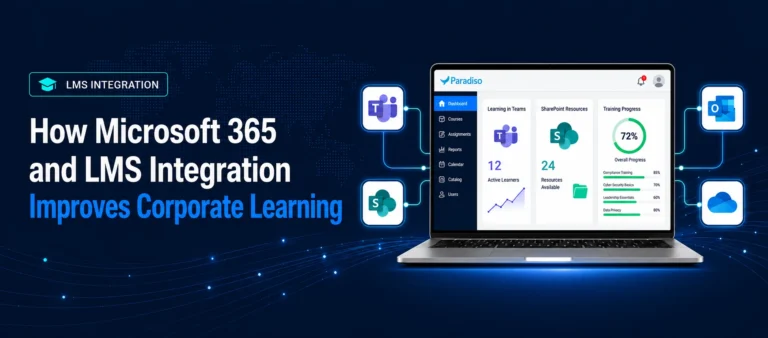
For related reading, explore how LMS integrations accelerate employee training and development across enterprise tech stacks.

How Do You Implement a Custom LMS Step by Step?

Custom LMS implementation follows a structured development and deployment process. Paradiso Solutions typically delivers enterprise custom LMS projects in 8–20 weeks depending on scope. Here is the standard roadmap — including the post-launch governance phase that most guides omit.

Step 1: Requirements Discovery and Training Audit (Weeks 1–2)

Map current training workflows, identify compliance obligations, document integration requirements, and audit the existing content library. Define success KPIs — completion rate targets, compliance pass rates, time-to-competency benchmarks — before any development begins. Projects that skip this step consistently experience scope creep and cost overruns.

Step 2: UX and Architecture Design (Weeks 2–4)

Design the user experience for each role type: learners, managers, administrators, and compliance officers. Architect the data model, integration touchpoints, and reporting schema. Wireframes and data architecture must be approved before development begins — changes at this stage cost far less than changes at the build stage.

Step 3: Core Platform Development (Weeks 4–10)

Build the core LMS infrastructure: user management, content delivery engine, assessment module, analytics layer, and mobile interface. Integrate SCORM 1.2, SCORM 2004, xAPI (Tin Can API), and AICC standards natively from the ground up. Implement AI feature integrations if specified in the requirements.

Step 4: System Integrations (Weeks 8–14)

Connect the custom LMS to your HRIS, ERP, SSO provider, video conferencing tools, and any third-party content catalogues. Test all data flows with real payloads — not synthetic test data. Integration failures discovered in production are significantly more expensive to remediate than failures discovered in staging.

Step 5: Content Migration and Configuration (Weeks 10–16)

Migrate your existing course library, configure role-based learning paths, set up compliance certification workflows, configure gamification mechanics, and validate role-based access rules with representative users from each department.

Step 6: UAT, Administrator Training, and Phased Go-Live (Weeks 16–20)

User acceptance testing with a pilot cohort, L&D administrator training, final performance and load testing, and phased go-live starting with one department or region before full rollout. Paradiso Solutions provides 90-day post-launch support as standard.

Step 7: Post-Launch Governance (Ongoing)

This step is consistently absent from competitor guides and consistently determines whether a custom LMS delivers long-term value. Establish a content update cycle (quarterly minimum for compliance content), an administrator review cadence, a performance monitoring dashboard, and a feature roadmap process. A custom LMS without governance becomes stale — and stale training platforms see completion rates decline within 12 months of launch.

A Step-by-Step Guide to Choose the Right LMS Provider

Selecting the ideal learning management system may seem daunting but considering a few crucial factors will make the process smoother. First, determine your budget and the essential features to cater to your company’s unique training needs. Next, ensure that the chosen LMS can address your business challenges effectively. Here’s a step-by-step plan to find the perfect LMS provider that aligns with your requirements and will guide you through this process.

  • Pinpoint Your Training Challenges and Goals: Finding the best learning platform can be overwhelming, given today’s vast array of options. To make the right choice, it is crucial to know exactly what you require from an LMS and how it can align with your training objectives. Identify your specific needs and goals, ensuring that the chosen LMS will effectively support your training initiatives and lead you to successful learning outcomes.
  • Clarify Training Performance Improvement Objectives: After identifying your needs, the next vital step is establishing clear business goals and objectives you aim to accomplish using the LMS. Determine what specific outcomes you want to achieve through employee training and development. Whether it’s improving job performance, enhancing skills, or increasing productivity, having well-defined goals will guide you in selecting an LMS that aligns with your organization’s aspirations and helps achieve desired results.
  • Gain Insight into Your Audience to Increase Productivity: Knowing your audience is essential before selecting a learning management system for training transformation. Understanding their characteristics will help shape your learning strategy. Consider factors like age group, tech-savvy, preferred learning formats (e.g., mobile or other methods), and the diversity of their skill sets. By answering these questions, you’ll be better equipped to choose an LMS that caters to your audience’s needs and maximizes their learning experience.
  • Mobile Accessibility and Cross-Platform Compatibility: When creating a custom Learning Management System (LMS), it’s essential to ensure it’s mobile-friendly and works well across various platforms. This feature enables users to access the LMS conveniently from different devices, allowing for learning on the go. Verify with the LMS development company that the system is optimized for mobile use and compatible with various operating systems.

Conclusion

A custom LMS for employee training gives organizations the flexibility to build learning experiences around their workforce, compliance requirements, and operational workflows instead of adapting to the limitations of generic platforms. From role-based learning paths and advanced analytics to deep integrations and scalable training delivery, a tailored LMS can significantly improve training efficiency and learner engagement.

As organizations grow, training requirements become more complex – especially across distributed teams, regulated industries, and evolving skill demands. Choosing the right LMS approach depends on your organization’s goals, learner scale, and long-term training strategy. With the right implementation and governance, a custom LMS can become a long-term foundation for employee development, compliance management, and business growth.

Frequently Asked Questions About Custom LMS for Employee Training

1. What is a custom LMS for employee training and how does it differ from a standard LMS?

A custom LMS for employee training is a learning management system designed and built specifically around an organisation’s workflows, compliance requirements, user roles, and content delivery needs. Unlike a standard off-the-shelf LMS — where the organisation adapts its processes to fit the platform — a custom LMS is architected to fit existing processes precisely. This results in higher completion rates, stronger compliance outcomes, and training data that connects directly to business performance metrics rather than sitting in an isolated reporting silo.

2. When does building a custom LMS make more financial sense than buying a SaaS platform?

Building a custom LMS makes financial sense when annual SaaS licensing costs exceed $100,000–$150,000, when your organisation has 500+ employees with complex role-based training requirements, or when off-the-shelf platforms cannot meet your compliance, integration, or data ownership requirements without costly workarounds. The 3-year total cost of ownership of a custom LMS typically undercuts SaaS alternatives at this scale — and the asset appreciates in value as it is fully amortised in years 4 and beyond.

3. What AI features can be built into a custom LMS for employee training in 2026?

A custom LMS built in 2026 can integrate AI-powered content recommendation engines trained on your specific library and role taxonomy, adaptive learning paths that update in real time based on assessment performance, conversational AI tutors embedded in learning modules, AI-generated content update and translation pipelines, and predictive compliance risk flagging that identifies employees likely to miss certification renewals before it becomes a regulatory exposure. These capabilities go significantly beyond what SaaS vendor AI roadmaps currently offer, because they are built specifically for your training data and workflows — not a generic user base.

4. How does a custom LMS handle compliance training and certification tracking?

A custom LMS handles compliance through automated certification management: issuing certificates on completion, tracking expiry dates, sending renewal reminders to employees and managers, and maintaining timestamped, audit-ready records accessible on demand. For regulated industries, the platform can also enforce role-based access gates — blocking specific job functions or system access until mandatory certifications are current — making compliance enforcement automatic and reducing the operational burden on HR and L&D teams entirely.

5. What integrations should a custom LMS for employee training support?

The highest-priority integrations are: HRMS (Workday, SAP SuccessFactors, BambooHR) for automated enrolment and offboarding; SSO (Active Directory, Okta) for seamless access; video conferencing (Zoom, Teams, Webex) for live virtual sessions; LRS/xAPI for advanced learning data; and CRM or ERP systems for linking training completion to business performance data. Each integration should be built with a defined API spec and tested before full rollout.

Let AI create your training courses

Type a course idea like GDPR

Follow us!

Do NOT follow this link or you will be banned from the site!