Paradiso LMS Manager Dashboard Tour
Paradiso LMS Manager Dashboard Tour:
Monitor Team Learning Progress Easily
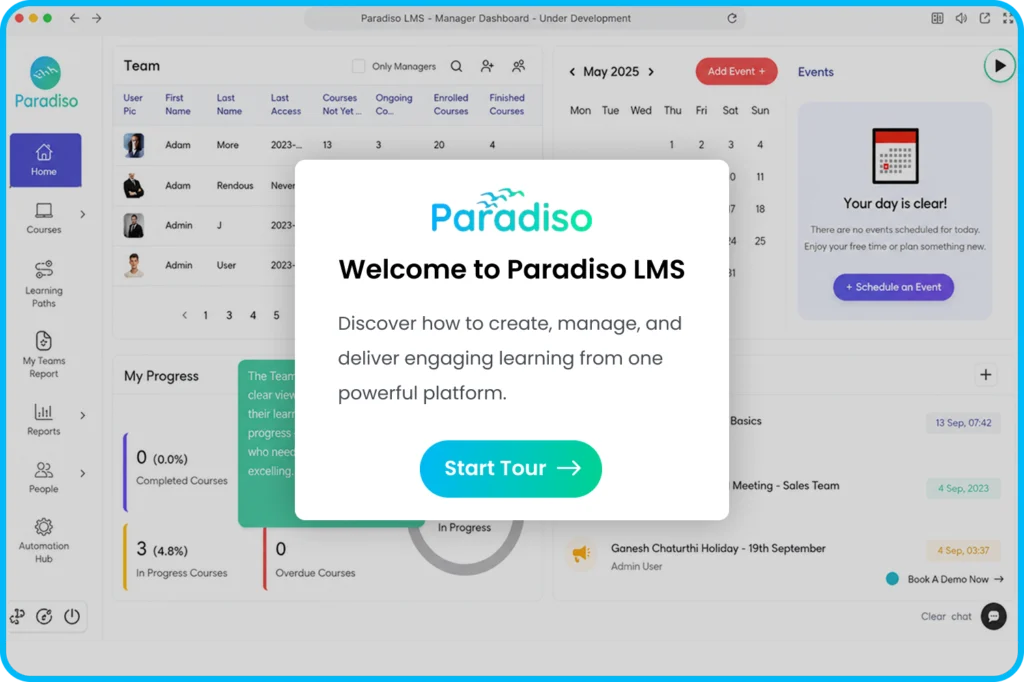
Discover how managers use the Paradiso LMS Manager Dashboard to track employee learning progress, review completion status, identify training gaps, and gain visibility into team development. Explore how managers can access relevant learning insights and support employee growth without relying on manual reporting processes.
×
Got Questions?
Frequently Asked Questions
Can’t find what you’re looking for? Talk to our team.
The product tour highlights team performance tracking, learner progress monitoring, completion reports, and manager-level learning insights.
It gives managers visibility into employee training activities, helping them monitor progress and support continuous skill development.
Managers can review course completion, learner progress, assigned training, certifications, and overall team learning activities.
Yes, managers can use learning insights and progress data to identify areas where employees may need additional development.
Yes, managers can access relevant learning reports and insights to understand team training performance.
Schedule a personalized LMS demo to see how managers, administrators, and learners interact within the platform.
See Paradiso LMS Manager Dashboard in Action
Explore how managers can improve learning visibility across teams.