Best LMS for Corporate Training in 2026
Compare the best LMS platforms for corporate training in 2026 based on features, integrations, scalability, reporting, compliance support, and enterprise learning requirements.
Find the right learning management system for employee training, customer education, partner enablement, and large-scale workforce development.
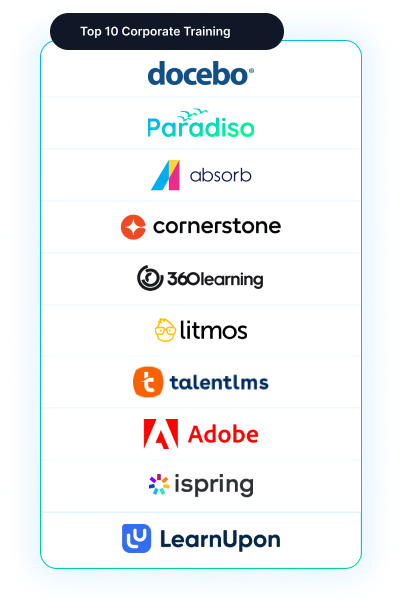
Trusted by 1000s of Companies Globally…











The Challenge: Choosing the Right Corporate LMS
What's at Stake
How We Evaluated the Best Corporate LMS Platforms
We evaluated these LMS platforms based on the factors that matter most for corporate training teams:
Scalability
Supports growing employee, customer, and partner audiences.
Reporting
Helps measure completion, compliance, and learning activity.
Integrations
Connects learning data with business systems like HRIS, CRM, ERP, and SSO.
Content Support
Enables different learning formats and standards such as SCORM, xAPI, and LTI.
Administration
Reduces manual training management and enables automation.
Extended Enterprise
Supports external training audiences such as customers, partners, and resellers.
Quick Comparison - Best LMS for Corporate Training
10 platforms evaluated across functionality, compliance, integrations, pricing, and user satisfaction
| # | Platform | Best For | Key Strength | G2 Rating | Free Trial |
|---|---|---|---|---|---|
| 1 | Docebo | Large IDNs · Automation | AI-driven personalization · 400+ integrations · Enterprise scale | 4.4/5 | 14 days |
| 2 | Paradiso LMS | Enterprise multi-audience | Multi-tenant · AI-assisted · Compliance-ready · Extended enterprise | 4.5/5 | Demo only |
| 3 | Absorb LMS | Partner/customer training | Extended enterprise · Multi-portal · Strong analytics | 4.7/5 | Demo only |
| 4 | Cornerstone Learning | 5,000+ employee systems | Talent + learning unified · Skills Graph · Compliance workflows | 4.1/5 | Demo only |
| 5 | SAP Litmos | Fast onboarding · Mobile-first | Simple UI · Quick deployment · 80,000+ pre-built courses | 4.2/5 | 14 days |
| 6 | TalentLMS | Small/mid-market teams | Easy setup · HIPAA-configurable · Small-team friendly | 4.7/5 | 30 days |
| 7 | 360Learning | Collaborative content teams | Peer learning · Rapid updates · Internal expertise capture | 4.5/5 | 14 days |
| 8 | Adobe Learning Manager | Content-rich teams · Adobe ecosystem | Adobe integration · Content focus · Digital experiences | 4.0/5 | Demo only |
| 9 | iSpring Learn | Internal authoring + LMS | PPT conversion · All-in-one authoring · Fast deployment | 4.6/5 | 30 days |
| 10 | LearnUpon | Multi-audience portals | Portal separation · Flexible branding · Certification support | 4.4/5 | Demo only |
Ratings based on aggregated G2, Capterra, and Klas Research data. We received no payment from any vendor listed here.
10 Best LMS Platforms for Corporate Training in 2026
Choosing the best LMS for corporate training depends on what you need the platform to accomplish. A company managing internal employee onboarding will evaluate an LMS differently from a training provider delivering courses to multiple customers. Similarly, a regulated organization may prioritize compliance reporting, while a global enterprise may focus on integrations, scalability, and multilingual learning support.
The platforms below represent commonly evaluated corporate LMS solutions based on their capabilities, target users, and typical strengths.

Docebo
Large organizations looking for AI-supported learning experiences and scalable enterprise training.
Quick Summary
AI-powered enterprise LMS focused on learning automation, personalized learner experiences, and large-scale administration. Emphasizes social learning, content recommendations, and workflow automation for global organizations.
Best For
- Large organizations (5,000+ employees) managing complex learning environments
- Companies wanting AI-driven personalization and automated learning paths
- Global enterprises needing extended enterprise capabilities
- Organizations prioritizing automation to reduce L&D admin overhead
Pros
AI-driven personalization recommends courses based on learner behavior and skills
400+ integrations provide broad ecosystem connectivity
Social learning features enable peer engagement and knowledge sharing
Enterprise-scale administration handles large, distributed organizations
Extended enterprise capabilities support multi-audience delivery
Cons
Higher implementation complexity and longer deployment timelines
Customization requirements increase total cost of ownership
Steeper learning curve for L&D teams new to AI-powered platforms

Paradiso LMS
Best for Flexible Enterprise Corporate Training
Quick Summary
Enterprise-ready platform designed for organizations managing multiple learner audiences (employees, customers, partners) with different experiences, reporting, and access levels. Supports compliance workflows, AI-assisted course creation, extended enterprise, and 100+ pre-built integrations.
Best For
- Enterprise organizations needing multi-audience training (employees + customers + partners)
- Companies requiring compliance tracking and certification management
- Training providers and resellers delivering to multiple clients
- Global organizations needing HRIS/CRM/ERP integrations and scalability
Pros
Multi-tenant architecture enables unlimited audience separation with data isolation
AI-assisted course creation converts SOPs and PDFs to SCORM modules in minutes
100+ pre-built integrations (HRIS, CRM, ERP, SSO) reduce custom development
Compliance-ready workflows for regulated industries
Flexible branding for different client portals and audiences
Cons
Enterprise features may exceed simple training needs
Custom pricing requires demo and scoping before quote
Multi-tenant configuration requires upfront planning compared to modern LMS platforms

Absorb LMS
Organizations delivering training to customers, partners, or external audiences.
Quick Summary
Platform purpose-built for organizations training customers, partners, and resellers alongside employees. Strong analytics, clean UI, and proven 4.7/5 user satisfaction. Handles multi-portal delivery with separate branding and reporting.
Best For
- Companies delivering training to external audiences (customers, partners, resellers)
- Mid-market to enterprise organizations requiring extended enterprise support
- Organizations needing separate branded portals for different audiences
- Companies prioritizing strong analytics and learner experience
Pros
Multi-portal architecture enables separate branded experiences per audience
Strong analytics and learner insights with intuitive dashboards
High user satisfaction (4.7/5 G2 rating) indicates solid UX
Flexible audience management with granular permissions
Separate reporting by audience/client for extended enterprise
Cons
Extended enterprise deployments require upfront planning for audience structures
Custom pricing with no published tiers
Multi-audience configuration can be complex if not planned carefully

Cornerstone Learning
Enterprises looking for learning capabilities connected with broader talent management.
Quick Summary
Enterprise platform combining learning management with talent development, skills management, and workforce planning. Part of broader Cornerstone talent ecosystem. Unified view of employee capabilities and learning outcomes.
Best For
- Large enterprises (5,000+ employees) with sophisticated HR strategies
- Organizations needing learning connected to skills development and talent planning
- Companies prioritizing workforce capability visibility across learning and performance
- Enterprises looking for unified talent + learning platform from single vendor
Pros
Unified talent + learning ecosystem provides holistic workforce view
Skills Graph maps competencies to learning paths and job requirements
Compliance training workflows built for regulated industries
Enterprise-scale administration and reporting
Integrated career development and succession planning tools
Cons
Overkill for organizations focused only on LMS needs
Higher cost due to bundled talent suite
Complex implementation if not leveraging full talent ecosystem

360Learning
Organizations where subject matter experts regularly create and update training content.
Quick Summary
Platform built for collaborative, peer-led learning where subject matter experts and frontline employees co-create content. Strong for organizations with frequent knowledge updates and internal expertise that needs to be captured at scale.
Best For
- Organizations with rapid product updates requiring fast content iteration
- Companies where frontline workers and SMEs create most training content
- Enterprises prioritizing peer learning and knowledge sharing
- Tech, retail, and fast-moving industries where best practices change frequently
Pros
Collaborative authoring enables SMEs and frontline workers to co-create courses
Rapid content updates reduce time from knowledge to training delivery
Peer learning and feedback loops build engagement and knowledge retention
Affordable pricing (from $8/user/month) makes it accessible to mid-market
Internal expertise capture reduces reliance on centralized L&D teams
Cons
Collaborative workflows may conflict with formal compliance approval processes
Limited enterprise-level customization and integrations
Less suitable for highly regulated industries requiring strict content control

SAP Litmos
Companies that need a simple corporate training LMS for employee learning and compliance programs.
Quick Summary
User-friendly LMS focused on practical training delivery without extensive customization. Strong for frontline employee onboarding and compliance training. Gamified learning experience to boost engagement.
Best For
- Organizations wanting fast deployment without long implementation timelines
- Companies with mobile-first or frontline employee populations
- Enterprises needing simple employee onboarding and Compliance training
- Mid-market organizations prioritizing ease of use over advanced features
Pros
User-friendly interface reduces training time for administrators and learners
Fast deployment and quick time-to-value (weeks, not months)
80,000+ pre-built courses available for rapid launch
Gamification features boost learner engagement and completion
Mobile-first design ideal for frontline and remote workers
Cons
Limited customization for complex workflows and advanced requirements
Fewer integrations compared to enterprise platforms
May not scale well for organizations with sophisticated reporting needs

TalentLMS
Organizations that need an easier-to-manage LMS without enterprise-level complexity.
Quick Summary
Accessible, easy-to-manage LMS for smaller organizations building their first formal training programs. Published pricing starting at $119/month. HIPAA-configurable for sensitive industries. 30-day free trial available.
Best For
- Small businesses and startups launching formal training programs
- Mid-market organizations with limited L&D budget
- Companies wanting published pricing without enterprise quote cycles
- Organizations prioritizing simplicity and quick implementation over advanced features
Pros
Published pricing from $119/month removes enterprise quote burden.
Free tier available for evaluating platform before commitment.
Easy to set up and manage without dedicated IT support
HIPAA-configurable option for healthcare and regulated industries
High user satisfaction (4.7/5 G2 rating) for ease of use
Cons
Limited scalability for organizations growing beyond 500-1000 employees
Fewer integrations and customization options vs. enterprise platforms
May require migration as training complexity grows

Adobe Learning Manager
Organizations already invested in Adobe content creation tools.
Quick Summary
Platform designed for organizations creating significant digital learning content who want seamless integration with Adobe Creative Suite. Emphasizes content delivery, learner experiences, and digital-first learning design.
Best For
- Organizations already invested in Adobe Creative Cloud and design tools
- Content-heavy L&D teams creating multimedia and interactive learning
- Companies prioritizing learner experience and digital content delivery
- Enterprises wanting unified content creation and learning delivery workflow
Pros
Seamless integration with Adobe Creative Suite reduces content handoff friction
Content-centric design ideal for visually-rich, interactive learning
Unified ecosystem for design teams and L&D professionals
Modern learner interface with engaging digital experience
Strong support for multimedia and interactive content delivery
Cons
Best value only if already invested in Adobe Creative Cloud
Higher cost compared to standalone LMS solutions
Less suitable for organizations with simple compliance or admin-heavy training needs

iSpring Learn
Organizations that create many internal courses and want authoring capabilities alongside learning management.
Quick Summary
All-in-one platform combining course authoring tools with LMS capabilities. Lowest published per-user cost ($3.58/active user/month). Converts PowerPoint to SCORM modules automatically. Best for teams creating internal training content.
Best For
- Organizations creating most training content internally
- Small to mid-market companies wanting authoring + LMS in one platform
- Teams with tight budgets (lowest published pricing available)
- Companies with existing PowerPoint content they want to quickly convert to courses
Pros
Lowest published per-user cost ($3.58/user/month) in the market
Integrated authoring tools eliminate need for separate course creation software
PowerPoint-to-SCORM conversion speeds up content migration
30-day free trial allows evaluation before commitment
High user satisfaction (4.6/5 G2 rating) for ease of use
Cons
Limited enterprise customization and advanced integrations
Less suitable for complex multi-audience or extended enterprise deployments
May outgrow capabilities as training program complexity increases

LearnUpon
Organizations managing employee, customer, or partner learning audiences.
Quick Summary
Portal-based LMS designed for organizations delivering training to multiple audiences (employees, customers, partners) with separate branded experiences. Strong multi-audience management with centralized administration.
Best For
- Organizations training employees, customers, and partners separately
- Companies needing separate branded portals for different audience groups
- Mid-market to enterprise organizations with multi-audience training needs
- Businesses prioritizing certification programs and learner progress tracking
Pros
Portal-based architecture enables separate branded experiences per audience
Multi-audience management with flexible permissions and reporting
Strong support for certification and compliance tracking
Centralized administration with audience separation at user level
High user satisfaction (4.4/5 G2 rating)
Cons
Limited AI or advanced personalization features
Custom pricing requires demo and scoping
May not scale for very large multi-tenant or complex enterprise needs
Buyer Decision Framework
Which Corporate LMS Is Right for Your Organization?
The right LMS depends on who you train, how you deliver learning, and what systems your team already uses.
The best corporate learning management system is not necessarily the one with the longest feature list.
A better approach is to evaluate how the platform supports the way your team actually delivers learning. This means starting with how you handle training today—what works, what causes friction, and what would break if you suddenly doubled your learner population.
Training Delivery & Learner Experience
A corporate LMS should support different learning formats, including self-paced courses, instructor-led sessions, assessments, certifications, and blended learning programs.
For example, a manufacturing company may need safety training for frontline employees, leadership programs for managers, and certification tracking for compliance teams – all without separate systems.
Administration, Reporting & Automation
Large training programs become difficult when every assignment, reminder, and report requires manual work.
A capable LMS should automate routine processes, track completion, manage certifications, monitor learner progress, create reports, and trigger reminders without manual intervention.
Integration & Scalability
A corporate LMS becomes more valuable when it connects with the systems your business already uses.
Look for HRIS synchronization, CRM connectivity, ERP connections, SSO, and support for standards like SCORM, xAPI, and LTI.
Common Mistakes Organizations Make When Choosing a Corporate LMS
- Prioritizing features over actual training workflows.
- Underestimating migration, configuration, and implementation effort.
- Treating integrations as an afterthought.
- Choosing a system that cannot support future growth.
- Measuring LMS success only by course completion instead of business outcomes.
Special Considerations
- Training providers need multi-tenant LMS capabilities, branded portals, and separate client reporting.
- Enterprises should evaluate integrations, automation, compliance tracking, and security requirements.
- Customer and partner training requires external user management and flexible learning environments.
- Global teams need multilingual delivery and scalable administration.
- Growing organizations should choose an LMS that supports future users, content, and business expansion.
Got Questions?
Frequently Asked Questions
The best LMS depends on your training requirements, workforce size, integrations, compliance needs, and budget. Enterprise teams usually evaluate platforms based on automation, reporting, scalability, and integration capabilities.
Corporate LMS pricing varies based on users, features, deployment model, integrations, and support requirements. Many enterprise LMS vendors use quote-based pricing because implementation complexity differs between organizations.
A corporate LMS should support user management, course delivery, reporting, compliance tracking, integrations, mobile access, content standards like SCORM/xAPI, and automation workflows.
The best employee training LMS depends on your workforce size, learning goals, and administration needs. Companies should evaluate onboarding, compliance, skills training, reporting, and HR system integrations.
Many corporate LMS platforms integrate with HRIS platforms to automate user provisioning, update employee information, assign training, and synchronize learning data.
Implementation time depends on configuration complexity, integrations, migration requirements, customization, and the number of learners being supported.
Yes. Extended enterprise LMS platforms support external audiences such as customers, partners, dealers, and distributors through separate portals, branding, and reporting.