Quick Answer
LMS Single Sign-On (SSO) allows employees, customers, and partners to access a learning management system using their existing organizational credentials instead of creating separate LMS login details. It connects the LMS with an identity provider such as Microsoft Entra ID, Okta, or Google Workspace to securely authenticate users and simplify access management.
For enterprises, LMS SSO improves security, reduces password-related issues, streamlines user access, and creates a smoother learning experience.
Managing user access to a Learning Management System (LMS) becomes increasingly complex as organizations adopt more digital platforms. Among the essential LMS Features, Single Sign-On (SSO) helps enterprises simplify authentication by allowing employees to access learning platforms using their existing business credentials.
That’s where Single Sign-On (SSO) for LMS comes in.
SSO offers a secure, seamless login process, reducing the need for employees to remember multiple passwords, while also simplifying access to various applications, including the LMS. In this article, we’ll explore what SSO for LMS is, how it works, its key benefits, and best practices for implementation in an enterprise setting.
What is Single Sign-On (SSO)?
Single Sign-On (SSO) is an authentication process that allows a user to access multiple applications and systems with one set of credentials (username and password). Once logged in, users can seamlessly move between connected systems without having to log in again for each new tool or application.
For Learning Management Systems (LMS), LMS Single Sign-On (SSO) allows users to access the learning platform using their existing organizational credentials instead of creating separate LMS login details. An LMS SSO integration connects the learning platform with an identity provider (IdP) such as Microsoft Entra ID, Okta, or Google Workspace. The identity provider verifies the user’s identity and securely communicates authentication information back to the LMS.
For Learning Management Systems (LMS), SSO eliminates the need for employees to remember multiple passwords to access training platforms, corporate software, and resources. This enhances productivity by reducing the time spent on logging in and improves security by minimizing the risk of password-related breaches. It also helps organizations simplify user access, strengthen security management, and create a better learning experience for employees, customers, and partners.
See How Single Sign-On Works with Paradiso LMS
Explore SSO integration options for Microsoft Entra ID, Okta, and Google Workspace, and discuss your authentication requirements with our team.
Top Benefits of SSO for LMS Platforms
Implementing SSO for your LMS offers numerous benefits for both enterprises and users. Here are the key advantages:
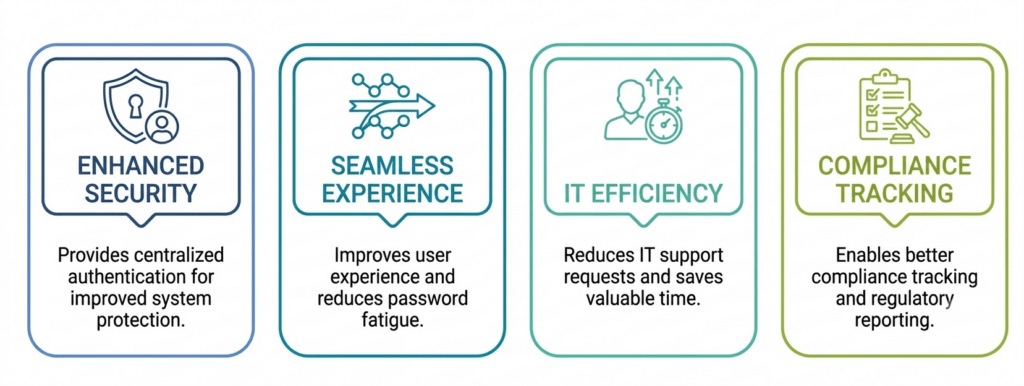

1. Enhanced Security & Centralized Authentication
SSO centralizes user authentication, making it easier to manage and secure login processes across multiple platforms. Enterprises can enforce strong security protocols (e.g., multi-factor authentication, password complexity) on a single login system, reducing the risk of security breaches.
2. Seamless User Experience & Reduced Password Fatigue
With employees juggling multiple logins for various tools, SSO eliminates the need to remember multiple usernames and passwords. While teams frequently rely on an enterprise password manager to handle complex credentials across platforms, integrating SSO removes the friction of entering multiple login details entirely. This convenience leads to a smoother, frictionless user experience that drives engagement with the LMS.
3. Reduced IT Support Requests & Time Savings
SSO minimizes forgotten password issues and reduces the need for password resets, ultimately decreasing the volume of IT support tickets. This allows IT teams to focus on more strategic tasks and reduces operational costs.
4. Better Compliance Tracking & Reporting
For enterprises with strict compliance requirements (e.g., HIPAA, GDPR), SSO ensures that access control is more centralized and easier to track. This simplifies reporting and auditing processes, ensuring that organizations remain compliant with regulatory standards.
How Does SSO Work with LMS?
- Learning Management System (LMS): The destination platform hosting courses, assessments, and learning paths.
- Identity Provider (IdP): The centralized system (such as Microsoft Entra ID, Okta, Google Workspace, or Ping Identity) that manages and verifies user identities.
- Authentication Protocol: The secure standard (SAML 2.0, OAuth 2.0, or OpenID Connect) used to transmit identity data between systems.
The 5-Step LMS SSO Authentication Flow
- User Attempts Access: The learner visits the LMS login page and clicks the organization’s enterprise sign-in option rather than entering a standalone password.
- LMS Redirects to IdP: The LMS securely routes an authentication request back to your corporate identity provider (e.g., LMS → Microsoft Entra ID).
- Identity Provider Verifies Identity: The IdP evaluates the user against corporate security policies, checking credentials, Multi-Factor Authentication (MFA) requirements, and device or location rules.
- Secure Response is Transmitted: Upon successful verification, the IdP returns a cryptographic token or assertion—such as a SAML assertion, OAuth token, or OpenID Connect ID token—back to the LMS.
- LMS Grants Access: The LMS validates the incoming token and instantly provisions a seamless session, allowing the user to begin training without further login prompts.
Which SSO Protocols Are Used for LMS Integrations?
Different organizations use different authentication standards depending on their technology environment.
The most common protocols used for LMS SSO integrations are SAML, OAuth 2.0, OpenID Connect, and SCIM.
| Protocol | Primary Purpose | Common LMS Use Case |
|---|---|---|
| SAML 2.0 | Authentication exchange between identity provider and LMS | Enterprise employee login |
| OAuth 2.0 | Secure authorization between applications | API-based access and application connections |
| OpenID Connect (OIDC) | Modern authentication layer built on OAuth | Cloud applications and SaaS environments |
| SCIM | Automated user provisioning | Creating and managing LMS accounts |
A few distinctions worth knowing before you pick a protocol:
SAML works through a signed “assertion” the identity provider sends to the LMS, containing the user’s name, email, department, and role. This is why SAML remains the default for large enterprises: their identity systems (Microsoft Entra ID, Okta, OneLogin, Ping Identity) already issue these assertions for other business applications.
OAuth 2.0 and OIDC solve different problems. OAuth 2.0 authorizes an application to access resources without sharing a password, which is why it shows up in API integrations. OIDC adds a layer on top of OAuth that confirms who the user actually is, making it the standard for identity verification in cloud and mobile LMS environments.
SCIM is not SSO. SSO handles login. SCIM handles the account itself: creating it, updating it when a role changes, and removing it when someone leaves. Most enterprise LMS deployments run SSO and SCIM together rather than choosing one over the other.
Which Identity Providers Can Integrate With an LMS?
An enterprise LMS should connect with the identity platforms your organization already uses, so employees, customers, and partners can log in with credentials they already have instead of creating separate LMS accounts.
Common LMS SSO integrations include:
- Microsoft Entra ID (formerly Azure Active Directory): SAML and OIDC-based login, MFA enforcement through existing security policies, and SCIM provisioning for automated account management.
- Okta: enterprise SSO plus lifecycle management, so accounts are created, updated, and deactivated automatically as roles change.
- Google Workspace: login with existing Google credentials, useful for organizations already standardized on Google as their identity system.
- LDAP and Active Directory: still relevant for organizations running legacy or on-premises directory infrastructure, particularly during LMS migrations or modernization projects.
Many enterprises also connect LMS platforms with HRIS integrations to synchronize employee information, automate user provisioning, and ensure learning access matches employee roles and departments.
Whichever provider you use, the goal is the same: centralize authentication, apply your existing security policies, and remove the need for a separate LMS login.
Explore SSO Integration Options for Your LMS
Discover how Paradiso LMS connects with enterprise identity providers to simplify authentication and learning access.
Best Practices to Implement SSO in Your LMS
Implementing LMS Single Sign-On successfully requires more than connecting an identity provider and enabling login. A well-planned SSO implementation considers user experience, security policies, data synchronization, and long-term administration.
The following best practices help L&D, IT, and security teams create a reliable LMS authentication workflow.
1. Define Authentication and Access Requirements Before Implementation
Before configuring SSO, identify who needs access to the LMS and how they should access learning resources, mapping access rules carefully across employees, managers, contractors, partners, and customers.
2. Choose the Right SSO Protocol for Your Environment
Match your technology ecosystem with the appropriate standard—such as SAML for enterprise employee login, OpenID Connect for cloud-first apps, or SCIM for automated user provisioning.
3. Keep User Data Synchronization Accurate
Ensure user attributes (name, email, department, role) map correctly between your identity provider and the LMS to prevent incorrect course assignments, duplicate profiles, and reporting errors.
4. Test Different User Scenarios Before Launch
Run controlled test workflows covering new hires, internal transfers, failed authentications, and employee offboarding to ensure seamless transitions.
5. Plan for Ongoing Identity Management and Threat Protection
Security threats are ever-evolving, and so should your SSO solution. Regular monitoring, combined with timely updates and audits, ensures that your system remains secure and up to date with the latest technology and security protocols, including advancements in cybersquatting detection to safeguard users from malicious domain spoofing attempts.
What Should You Look for When Choosing an LMS With SSO?
When evaluating an LMS with Single Sign-On capabilities, organizations should look beyond whether the platform supports SSO and examine protocol compatibility, identity provider support, user management features, and administrative controls.
A strong LMS SSO implementation should fit into your existing identity ecosystem rather than forcing your IT team to create workarounds.
Before selecting an LMS, consider the following areas.
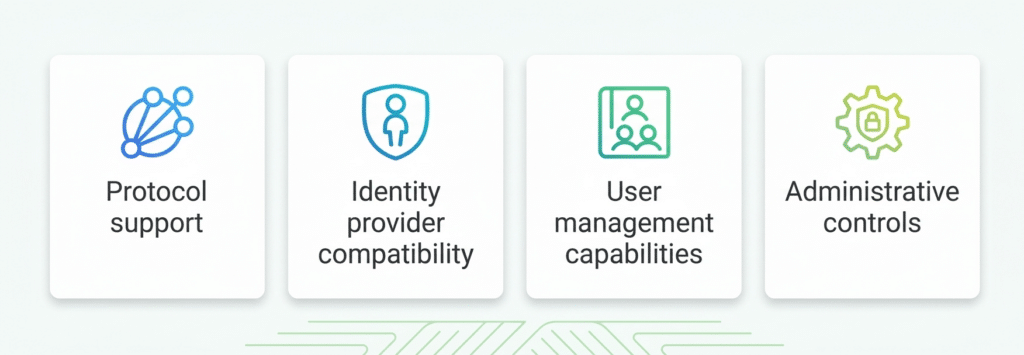

1. Protocol Support
The LMS should support authentication standards that match your organization’s security and technology environment.
Look for support for:
SAML 2.0
SAML is one of the most widely used enterprise authentication protocols.
It enables secure communication between the LMS and identity providers such as Microsoft Entra ID and Okta.
Common use cases include:
- Employee LMS login
- Corporate training access
- Enterprise authentication workflows
OAuth 2.0
OAuth 2.0 supports secure authorization between applications.
It is commonly used for:
- Application integrations
- API-based connections
- Secure data exchange
OpenID Connect (OIDC)
OIDC provides modern user authentication built on top of OAuth 2.0.
It is useful for organizations using:
- Cloud applications
- SaaS platforms
- Modern identity architectures
SCIM
SCIM enables automated user lifecycle management.
A capable LMS should support SCIM or similar provisioning methods to automate:
- User creation
- User updates
- Account deactivation
- Role assignments
2. Identity Provider Compatibility
An enterprise LMS should work with the identity providers your organization already uses.
Check whether the LMS supports platforms such as:
- Microsoft Entra ID
- Okta
- Google Workspace
- Active Directory
Identity provider compatibility helps organizations maintain existing security policies without creating separate authentication processes for learning.
For example:
A company using Microsoft Entra ID should be able to connect employee identities to the LMS without requiring users to create separate LMS credentials.
3. User Management Capabilities
Authentication is only one part of enterprise LMS access management.
A complete LMS SSO solution should also support efficient user lifecycle management.
Look for capabilities such as:
Automated Provisioning
New users should be able to receive LMS accounts automatically based on identity provider information.
Example:
HRIS → Identity Provider → LMS
A new employee joins, their identity is created, and LMS access is automatically assigned.
Automated Deprovisioning
When an employee leaves or loses access rights, the LMS should automatically remove or restrict access.
This helps organizations maintain accurate user records and reduce security risks.
Role Mapping
Role mapping allows organizations to automatically assign learning permissions based on user information. This supports role-based learning by ensuring employees receive training content aligned with their responsibilities, department, and career requirements.
Example:
| User Role | LMS Access |
|---|---|
| Sales Employee | Sales training programs |
| Manager | Leadership courses and reporting |
| Partner | Certification content |
Explore how Paradiso LMS helps organizations connect identity management with employee, customer, and partner training.
Attribute Mapping
The LMS should allow organizations to map identity information correctly.
Common attributes include:
- Name
- Department
- Employee ID
- Job role
Accurate attribute mapping ensures users receive the right learning experiences.
4. Administrative Controls
Enterprise LMS administrators need visibility and control over the SSO configuration itself, not just the login experience. When evaluating an LMS, check whether administrators can manage:
- Metadata: configuring and updating the identity provider connection details required for authentication.
- Certificates: monitoring expiration dates, applying updates, and rotating certificates before they lapse. Expired certificates are one of the most common causes of unexpected login failures.
- Token validation: confirming that every authentication response actually came from a trusted identity provider, hasn’t been altered in transit, and matches a legitimate user.
- Access policies: defining who can access the LMS, which users receive which training, how roles are assigned, and when access should be revoked.
- Testing environments: validating login, role assignment, attribute mapping, and provisioning changes before they reach every learner.
LMS SSO Implementation Checklist
Before implementing SSO, enterprises should verify:
- Identity provider compatibility
- Authentication protocol support
- User attribute mapping
- Role-based access requirements
- User provisioning workflows
- Security policies
- Testing environment readiness
A structured implementation approach helps organizations avoid login failures, incorrect permissions, and user access issues.
Common Challenges & How to Avoid Them
While the benefits of SSO are significant, there are some common challenges organizations may face during implementation. Here’s how to avoid them:
1. Compatibility Issues with Legacy Systems
Older systems may not support modern SSO protocols. Before implementing SSO, audit your existing LMS and other enterprise applications to ensure compatibility with your chosen SSO protocol.
Tip: If necessary, update or replace legacy systems to ensure smooth integration.
2. Complexity of User Management
Large enterprises often have complicated user structures with different levels of access. Managing these diverse needs through a single identity provider can be challenging.
Tip: Use Role-Based Access Control (RBAC) to tailor permissions and access levels for different groups within your organization.
3. Slow Onboarding Process
If the SSO setup is not done correctly, it can lead to a slow onboarding process, impacting employee productivity. To avoid this, consider running a pilot program with a small group of users to iron out potential issues before rolling it out organization-wide.
How Paradiso LMS Supports Enterprise SSO Integration
Paradiso LMS can connect learning access with enterprise identity ecosystems through an integration-ready architecture designed to support secure, scalable training delivery.
For employee training, SSO can give users access to required learning through the same organizational credentials they already use for workplace systems. This reduces login friction and helps L&D teams deliver onboarding, compliance, role-based, and skills training without creating separate authentication processes.
This seamless access experience also improves adoption of employee training software by removing login barriers and helping employees quickly access required courses, assessments, and development resources.
For customer and partner training, Paradiso LMS can support secure access workflows for external audiences while keeping learning environments organized by user type, role, or business relationship.
Paradiso LMS can also fit into a broader enterprise technology ecosystem that may include identity providers, HRIS platforms, CRM systems, ERP applications, collaboration tools, and other business systems. This helps organizations connect authentication, user access, and learning delivery without treating the LMS as an isolated platform.
How PCG Connected Its Training Platform with Paradiso LMS
See how Public Consulting Group streamlined learner access through OIDC Single Sign-On and used custom APIs to connect training completion data across its platforms.
The practical value is straightforward: learners get easier access, IT teams retain control over identity and security policies, and L&D teams spend less time managing separate login workflows.
Conclusion
LMS Single Sign-On is not only a login convenience. It connects identity, security, learning access, and administration into one more manageable workflow.
When SSO is configured correctly, users authenticate through trusted identity systems, security policies remain centralized, and access to learning can be managed more consistently across employees, customers, and partners.
For enterprise buyers, the key is to evaluate more than whether an LMS “supports SSO.” Look at protocol support, identity provider compatibility, provisioning, attribute mapping, administrative controls, and the broader integration architecture.
The goal is a connected flow:
Identity → Security → Learning Access → Administration
Paradiso LMS can support this type of enterprise learning environment by connecting secure access with broader learning and business-system integrations.
Explore how Paradiso LMS can support your SSO, identity management, and enterprise learning integration requirements.
Frequently Asked Questions (FAQs)
1. What is Single Sign-On (SSO) for LMS?
SAML SSO allows an LMS to authenticate users through an external identity provider. Instead of entering separate LMS credentials, employees authenticate through systems such as Microsoft Entra ID or Okta.
2. How does SSO improve security in an LMS?
SSO centralizes authentication, reducing password-related vulnerabilities and simplifying compliance tracking.
3. What are the main benefits of using SSO in an LMS?
SSO enhances security, reduces password fatigue, saves time, and improves user experience by simplifying access.
4. Which protocols are commonly used for SSO in LMS?
Common SSO protocols include SAML, OAuth, and OpenID, depending on your organization’s needs.
5. Can SSO integrate with other enterprise systems?
Yes, SSO can integrate with various enterprise systems, providing unified access across multiple platforms.
6. What is the difference between SAML and OAuth for LMS integrations?
SAML is primarily used for user authentication between an identity provider and LMS. OAuth focuses on delegated authorization, allowing applications to securely access resources.
7. How long does LMS SSO implementation take?
Implementation time depends on the LMS, identity provider, authentication protocol, and user provisioning requirements. Simple SAML connections may take days, while complex enterprise integrations require additional planning and testing.
8. What is the difference between LMS SSO and user provisioning?
LMS SSO manages user authentication by allowing employees to access the LMS through existing credentials. User provisioning manages account creation, updates, and removal through systems such as SCIM.
9. Does LMS SSO improve employee training adoption?
Yes. By reducing login friction and allowing users to access learning through existing workplace credentials, LMS SSO creates a smoother training experience and can improve platform adoption.
10. What identity providers work with LMS SSO?
Common identity providers include Microsoft Entra ID, Okta, Google Workspace, and Active Directory.
Have Questions About LMS SSO Integration? Contact Us
Tell us which identity provider you use and what you need for authentication, provisioning, or access management.