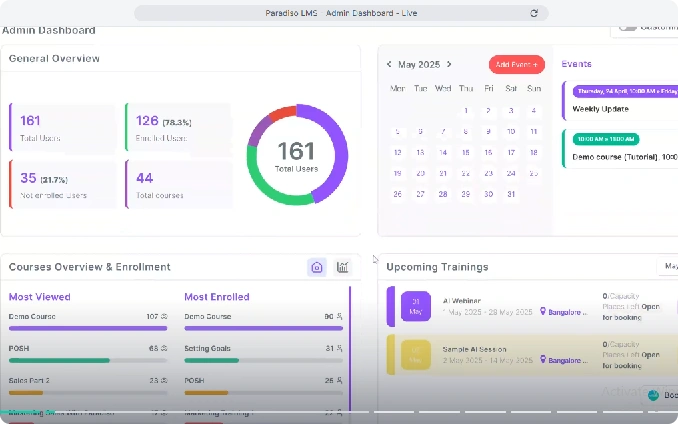
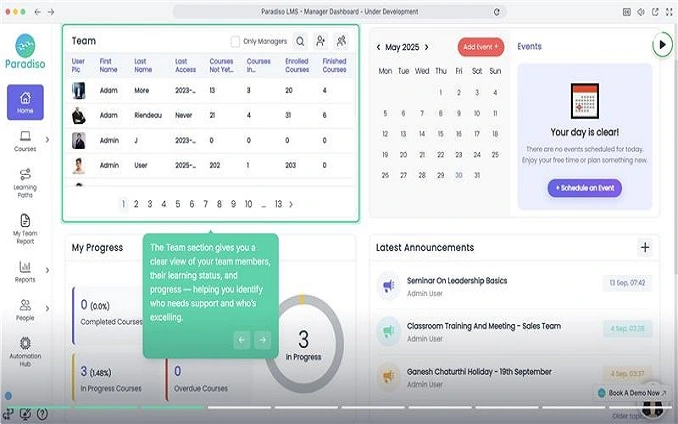
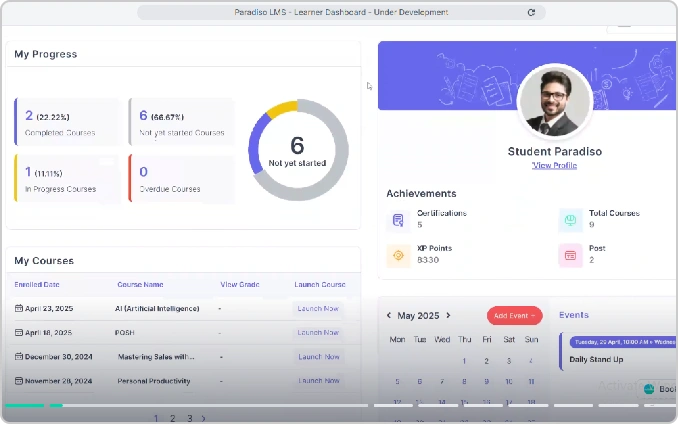

To schedule a demo of Paradiso LMS, visit the Paradiso LMS website and click “Book a Demo” to see how its customizable platform supports scalable customer training and adoption.

Master scalable training with adoption tracking & customizable LMS—the complete guide
Customer training is a structured, programmatic way to educate customers so they can use a product or service effectively and keep getting value over time—delivered through formats like in-person sessions, virtual instructor-led training, and on-demand learning, often supported by a customizable LMS that adapts to different customer roles, stages, and use cases.
At its core, customer training is learning content created to onboard, engage, and retain both new and existing customers, delivered through a repeatable program rather than ad-hoc help. It’s especially valuable when a product is complex, requires behavior/process change, serves diverse user roles, or ships frequent feature updates—because customers need ongoing guidance to realize value.
Many programs combine multiple learning modalities (tutorials, webinars, interactive eLearning, simulations, guides) to build confidence, help users master features, and solve real-world workflows without feeling overwhelmed.
Customer training differs from support because support is typically reactive (helping users resolve a specific issue), while training is proactive and structured (helping users build capability and prevent common problems). It also differs from onboarding because onboarding is usually the early-stage “get started” phase, whereas customer training spans the full lifecycle—onboarding, adoption, and even advanced enablement and advocacy.
A practical way to think about the boundaries:
An effective customer training program is built like a product: clear goals, structured pathways, engaging content, and measurement loops that keep improving the experience. Strong programs typically include:
In 2026, customer training is no longer a “nice-to-have”—it’s a growth lever that directly influences adoption, retention, support load, and expansion revenue, especially as products become more feature-rich and customers expect faster time-to-value. Customer education platforms and customer training programs are widely positioned as a way to drive business outcomes like product usage, loyalty, and reduced support burden.
As customer bases grow more diverse and global, delivering this impact consistently requires a customizable LMS that can scale training without forcing every customer through the same experience.
Customer training works best as an ecosystem of formats rather than a single course or webinar. Different customers, roles, and maturity levels prefer different ways to learn, and a blended mix ensures they can get the right help at the right time. Well-designed programs typically combine structured onboarding, ongoing education, on-demand resources, and just in time guidance to support the full customer lifecycle.
Onboarding training is the foundation of any customer education strategy. Its goal is to help new customers reach their first value quickly and confidently, so they do not stall or churn early.
Strong onboarding programs usually:
Onboarding may be delivered through a mix of live sessions, structured courses, and checklists, often coordinated through a learning platform or customer training LMS.
Self paced eLearning lets customers learn whenever and wherever they want, which is critical across time zones and busy schedules.
Effective self‑paced courses:
These courses are usually delivered via an LMS or customer academy, where progress tracking, completion data, and assessments can be monitored and optimized over time.
Live training adds human connection and real time feedback. Webinars and workshops are particularly useful for complex workflows, new feature launches, and Q&A heavy topics.
High‑impact live sessions typically:
Robust certification and advanced enablement:
Knowledge bases and help centers offer searchable, structured documentation that customers can access on demand, without needing to contact support.
A strong self‑service hub:
Self service content deflects repetitive tickets and supports customers who prefer reading over attending formal training.
Effective in‑app guidance:
When combined with analytics, in app help can be iteratively refined based on where users struggle, creating a responsive, highly personalized training layer within the product itself.
Best uses
Virtual instructor-led training mirrors classroom instruction through video conferencing with chat, polls, and breakout rooms, providing geographic scalability for global sessions without travel, cost-effectiveness over in-person options, real-time interaction and Q&A, plus recordings repurposed as on-demand assets—though it risks screen fatigue and distractions from multitasking, time zone constraints for international audiences, and tech dependencies like connectivity or platform issues impacting experience.
Best uses
On-demand self-paced training delivers asynchronous courses, videos, tutorials, and microlearning via LMS, academies, or help centers, enabling anytime/anywhere access for distributed teams and short bursts, high scalability with low marginal costs post-creation, and just-in-time learning tailored to immediate needs—despite requiring self-motivation that may lead to incompletion without nudges, lacking real-time feedback until support/community engagement, and demanding ongoing content maintenance for product changes.
Best uses
Blended learning merges self-paced eLearning with VILT, in-person workshops, and in-app guidance for cohesive experiences, using self-paced foundations reinforced by live application/QA/coaching, layering in-app/help resources for immediate application, and staggering touchpoints across lifecycles—balancing scalability of on-demand with live depth/relationships, accommodating learning styles, and providing multiple concept exposures to boost retention, adoption, and satisfaction
Best uses
Customer training is most effective when it’s mapped intentionally to each stage of the customer lifecycle—not treated as a one time event during onboarding. From first touch in pre sales through renewal and advocacy, education should guide customers toward clearer value, deeper product usage, and stronger partnership.
In the pre‑sales and trial phase, customer training reduces friction and accelerates evaluation by helping prospects experience value quickly.
Effective pre‑sales enablement typically includes:
The goal here is not full mastery, but clarity and confidence—prospects should understand the product’s capabilities and how it fits into their world so that purchasing decisions feel low risk and evidence based.
Strong onboarding programs usually:
The objective is to get customers to their “first success” as quickly and reliably as possible, creating early momentum and confidence.
Ongoing adoption and feature education often involve:
Here, the goal is depth and breadth of usage—ensuring that customers continuously discover and adopt features that drive stronger outcomes, rather than plateauing after initial setup.
Advanced training programs typically:
These users often become extensions of your team—driving adoption, advocating for your roadmap, and influencing renewal and expansion decisions—so investing in their development pays off disproportionately.
High‑impact training at this stage may:
The aim is to make the product—and the learning ecosystem around it—so integral to the customer’s success that renewal feels obvious, expansion feels natural, and advocacy feels authentic.
A high-performing customer training program is not just a collection of courses—it is a structured, outcome driven system that supports customers across their lifecycle. The following 6 step guide walks through how to design, launch, and continuously improve a program that drives adoption, retention, and revenue.
Start by clarifying the business and customer problems your training program addresses, such as reducing time-to-value, boosting product adoption, lowering support tickets, improving NPS, or enabling upsells through certifications, then define measurable success metrics like onboarding completion rates, user path completion percentages, ticket volume per account, NPS changes pre/post-training, and expansion revenue from trained users to align stakeholders across customer success, support, product, and marketing teams.
Map the end-to-end customer journey from pre-sales through onboarding, adoption, and renewal, identifying stuck points, confusion, or underuse by reviewing support tickets for recurring questions, consulting CSMs on roadblocks, analyzing product usage data for stalled workflows, and gathering customer feedback via surveys to translate pain points into targeted learning needs like admin configuration bootcamps or end-user automation modules.
Design content around structured paths for stages and roles with short 5-15 minute modules using self-paced courses with quizzes and simulations, live sessions for complex topics, video tutorials, job aids, and assessments, embedding practice opportunities while considering global accessibility, languages, and time zones to build a content spine of core paths with optional advanced electives.
Choose a platform supporting SCORM/xAPI formats, videos, quizzes, flexible paths with prerequisites and certifications, robust reporting on completions and scores, integrations with CRM/support/analytics for auto-enrollment and health insights, branded portals for easy access, and scalability for customers/partners, preferring customer-focused LMS over internal HR tools.
Embed training into onboarding playbooks with CSM assignments and checklists, welcome emails highlighting the academy, in-app prompts for relevant courses, support/sales links in responses, campaigns like “Getting Started Week,” and incentives such as certificates or leaderboards to make it a standard part of product use rather than optional.
Track engagement metrics like enrollments/completions/drop-offs, behavioral impacts such as usage growth and ticket reductions, and business outcomes including renewals/NRR/NPS improvements, then refine low-performing content, adjust methods based on data, and identify opportunities like new certifications to adapt as products and customers evolve.
Customer training programs work best when they are learner centric, outcome driven, and continuously optimized rather than “one and done.” The practices below help you design training that actually changes behavior, not just checks a box.
Customer groups differ by role, use case, skills, and motivation, so effective programs begin with clear audience segments and personas. Conduct interviews with admins, end users, and decision‑makers, and mine support conversations to understand pain points, workflows, and constraints.
Turn these insights into concrete learner profiles (for example, “time‑poor frontline user,” “technical admin,” “executive sponsor”) and design paths tailored to their context, level of detail, and preferred formats. This prevents generic training and ensures customers immediately recognize themselves and their challenges in your content.
Relevance is non negotiable: every lesson should connect to a real task or outcome your customers care about, not just a feature tour. Anchor modules around scenarios (“set up your first integration,” “launch your first campaign”) and show end to end workflows so learners see how pieces fit together.
Keep content bite sized—5–15 minute lessons with a single focus—so busy customers can make progress in small windows of time. Use storytelling, real data examples, and product walkthroughs, and punctuate content with quick checks, polls, or challenges to keep engagement high and reinforce retention.
A healthy mix might include:
This multimodal approach increases accessibility, supports various bandwidth and device constraints, and lets customers choose the format that suits them in the moment.
Each course, module, or asset should answer two questions: “What will I be able to do after this?” and “Why does it matter to my job or business?” Translate these into clear, action oriented objectives using verbs like configure, automate, troubleshoot, or analyze.
Tie objectives back to measurable product and business outcomes—faster setup, fewer errors, more campaigns launched, greater utilization of a flagship feature. Communicate these expectations up front in course descriptions and at the start of each module so learners can judge whether the content is worth their time and track their own progress.
Great training is a two way conversation. Include quick surveys or rating prompts after modules to capture learner sentiment and open ended comments about gaps or confusing sections. Monitor completion data, quiz performance, and drop off points to see where people get stuck or lose interest.
Pair self service content with accessible support channels: community forums, office hours sessions, or “Ask an expert” forms tied to your customer success or support team. This allows learners to escalate nuanced questions, while your team gathers insight to refine future content.
Design training so all customers can participate fully. Use clear language, high contrast visuals, and readable fonts; provide captions and transcripts for audio/video; and ensure navigation works well with screen readers and keyboard controls.
For global audiences, prioritize localization of UI screenshots, examples, and key modules into your highest value languages, not just literal translation of text. Be intentional about inclusive imagery, scenarios, and names so a wide range of customers can see themselves in your content and feel that the product is built for them.
Customer training content ages quickly as products, pricing, and best practices evolve. Treat your academy like a living product with owners, SLAs, and a roadmap rather than a static library. Define who is responsible for creating, reviewing, and approving content (for example, a cross‑functional council from product, CS, support, and marketing).
Establish a review cadence (quarterly or aligned to major releases) and track dependencies so that when a feature or UI changes, you know exactly which courses, screenshots, and videos must be updated. Version content, retire obsolete modules, and communicate changes clearly to customers so they trust your academy as a current, authoritative source of truth.


Using a learning management system (LMS) to train customers turns scattered resources into a structured, trackable academy that directly supports adoption, retention, and expansion. An LMS centralizes courses, certifications, analytics, and automation so customer education can scale beyond 1:1 sessions or ad hoc content.
But not all LMS platforms are built equal. Effective customer training requires a customizable LMS— one that adapts learning paths, branding, access, and automation to different customer segments, roles, and lifecycle stages, rather than forcing all learners into a single internal-training model.
Unlike one-size-fits-all internal training systems, a customer-focused LMS lets you tailor experiences by organization, region, and stage of the customer lifecycle rather than forcing all learners through identical paths.
A learning management system (LMS) is software for creating, delivering, and tracking training for employees, customers, or partners, hosting courses, assessments, and resources in a branded portal for enrollment, completion, and certifications. For customer education, it serves as your academy’s home base, organizing onboarding paths, role-based journeys, and self-service training while providing internal visibility into training progress, topics, and links to product usage and account health.
These features make customer training repeatable and scalable instead of relying on manual invites and scattered assets.
Not every LMS built for internal HR/compliance training works well for external customer education.
Internal HR LMSs are often rigid by design, built for compliance rather than growth. Customer education thrives on a customizable LMS—one that supports multi-tenant portals, external audiences, segmented experiences, and rapid content updates as your product and customer base evolve.
When evaluating your current platform, consider:
If your existing LMS is optimized mainly for internal compliance (mandatory courses, annual policies), it might lack the flexibility, UX, and integration depth needed for external academies.
Other delivery methods still matter, but they are strongest when coordinated through an LMS rather than used in isolation.
Choosing customer training software is about more than hosting courses—it’s about finding a platform that can scale with your product, integrate into your stack, and prove impact on adoption and revenue. Modern customer education platforms combine LMS capabilities, analytics, automation, and integrations to create a connected learning ecosystem.
Focus first on whether the platform can support a full customer academy, not just single courses. Strong training tools offer:
Your platform needs to handle growth in users, content, and use cases without forcing disruptive re‑platforming. Look for:
If content creation feels painful, your academy will stagnate. Strong platforms provide:
Robust analytics are essential to prove ROI and improve programs. Prioritize platforms that can:
Customer education must sit inside your broader revenue and success ecosystem. Look for:
Learners will judge your brand by the training experience. Strong platforms emphasize:
Even the best software fails without proper rollout. Evaluate vendors on:
Compare tools not only on sticker price but on overall value and scalability. Consider:
• Pricing basis (active users, registered users, portals, or flat tiers) and how that aligns with your growth model.
• What’s included vs add ons—some providers charge extra for integrations, advanced analytics, or additional portals, while others bundle them.
• Hidden costs such as implementation fees, mandatory services, or the need for separate authoring tools if built in creation is limited.
Selecting customer training software with these criteria in mind ensures you get a platform that can actually power your academy strategy—rather than just another content repository.
Customer training ROI is best evaluated by connecting learning activity to both behavioral product changes and hard business outcomes. The metrics below work together as a dashboard rather than in isolation.
Completion and enrollment rates show whether customers are actually consuming the training you’ve built. High enrollment but low completion signals issues with relevance, length, or delivery; low enrollment suggests promotion or discoverability problems. Engagement metrics like time spent, repeat visits, and interaction with videos or quizzes reveal which modules resonate and where learners drop off.
Assessment scores and practical exercises indicate whether customers can perform key workflows after training, not just recall concepts. Tracking certification achievement by role, account, and segment helps identify where you have strong internal champions and where more enablement is needed. Over time, comparing proficiency and certification data with usage and renewal patterns shows how expertise correlates with long‑term value.
Finally, compare the cost of building and running your training program to the savings and gains it generates. Inputs include platform fees, content creation, and internal resources; outputs include reduced support load, higher retention, incremental expansion revenue, and fewer costly implementation escalations. Building a simple model that quantifies cost per trained customer against additional revenue and savings per account helps communicate ROI clearly to leadership and secure continued investment.
A core ROI signal is whether training reduces repetitive “how‑to” tickets. Monitoring volume and category of tickets before and after launching specific courses highlights which topics are effectively covered and where gaps remain. Faster resolution times—because customers attach screenshots, use correct terminology, or try documented fixes first—also indicate that training is improving the quality of support interactions.
Customer education is strongly linked to retention: trained customers are more likely to renew and less likely to churn because they see clear, ongoing value. Comparing renewal and churn rates for accounts with high training engagement versus those with little or none is one of the clearest ROI views. You can also track net revenue retention (NRR) or gross retention by segment to see how education contributes to long term account health.
Customer satisfaction surveys and NPS responses often reflect how easy or hard customers find it to use your product. Track CSAT and NPS by training participation: for example, compare scores for learners who completed core onboarding paths with those who did not. Qualitative feedback—comments mentioning documentation, training, or “ease of getting started”—provides additional evidence that your education program is influencing sentiment.
Well designed training surfaces advanced use cases and features that make expansion feel natural. Measure upsell and cross sell rates in accounts where power users or admins completed advanced paths or certifications. You can also attribute influenced pipeline by tagging deals and expansions that originated from training campaigns, academies, or certification programs.

Customer training programs often struggle not because the idea is wrong, but because execution and resourcing are misaligned with real‑world constraints. Below are common blockers and pragmatic ways to address them.
Many academies fail quietly because customers don’t know training exists or don’t see it as essential. To fix this, embed training into core journeys instead of treating it as an optional extra—make key courses part of onboarding checklists, include them in welcome emails, and surface them contextually in app when users first encounter complex workflows.
Equip CSMs, sales, and support with direct links and talking points so they consistently point customers to the academy rather than one off answers. Position training as the fastest path to outcomes (“launch your first campaign in 30 minutes”) instead of a generic “resource center,” and reinforce with reminders and lightweight incentives such as certificates or recognition in user communities.
Teams often feel they “can’t do training” because they lack dedicated instructional designers or video specialists. Start by prioritizing a small set of high impact journeys (for example, admin onboarding and top 2–3 use case workflows) and ship minimum viable content—screen recorded walkthroughs, concise how to articles, and simple quizzes.
Create repeatable templates (course outlines, slide decks, recording checklists) and build a distributed content model where PMs, CSMs, and power users contribute drafts that one owner lightly standardizes. Repurpose existing assets such as webinars, product demos, and support macros into structured learning paths, and improve polish over time rather than delaying launch until everything is “perfect.”
A single course rarely fits admins, end users, and executives equally well. Without segmentation, beginners feel lost and advanced users get bored. Solve this by defining clear learner personas (for example, “new admin,” “everyday user,” “analyst/power user”) and building tiered paths: 101 foundations, 201 intermediate, and 301 advanced.
Use role based enrollment and labels inside your academy so each audience sees a curated catalog mapped to their goals. For large or strategic customers, combine standard paths with a few tailored modules (industry scenarios, integrations they use) so training feels relevant without needing a fully custom curriculum for every account.
Customer training quickly becomes obsolete if it lags behind UI changes and feature updates. To avoid this, connect your release management and training processes: have product owners flag which courses, screenshots, and videos are impacted as part of the release checklist, and maintain a simple “content dependency” register.
Design content for easier maintenance by using modular micro lessons, generic UI callouts where possible, and overlay graphics that can be swapped without re recording entire videos. Establish a regular review cadence (for example, quarterly audits of top traffic courses) and use learner feedback plus support trends to prioritize which assets must be updated first.
Leadership support often hinges on showing that training drives measurable outcomes, not just “learning activity.” The challenge is that many teams track completions but don’t connect them to business metrics. Start by agreeing with stakeholders on a small set of success indicators—such as reduced time to value, lower “how to” ticket volume, higher feature adoption, and improved renewal or expansion rates.
Then, compare these metrics for trained vs untrained cohorts or for accounts with high vs low training engagement. Even simple correlations (for example, “accounts where at least one admin completed onboarding training renew at X% higher rate”) create a compelling narrative. Package these insights in regular dashboards and stories for executives, and use them to justify further investment in tooling, content, and team capacity.
For modern enterprises, the gap between a customer signing a contract and a customer achieving success is bridged entirely by education. A robust customer training strategy does more than just teach features; it empowers users to derive maximum value from your product, directly influencing satisfaction, renewal likelihood, and advocacy.
A scalable customer training strategy is ultimately powered by a customizable LMS that evolves alongside your product, customers, and business goals.
Organizations that prioritize a formal customer academy see a distinct shift in their unit economics. Instead of drowning in repetitive support tickets, they see a measurable decrease in support costs and a simultaneous rise in product adoption metrics. When customers are proficient, they don’t just stay longer—they explore advanced features, upgrade tiers, and become vocal champions for your brand.
Building this level of proficiency requires more than just a few video tutorials. It demands a deliberate strategy that maps content to the customer journey—delivering the right guidance during onboarding, adoption, and scaling phases. It requires a system that tracks not just who watched a video, but who mastered a skill.
Paradiso Customer Training Platform is engineered to turn this strategy into reality. It offers a seamless, white-labeled environment where your brand takes center stage, supported by powerful automation that assigns learning paths based on user roles. With capabilities ranging from gamification to keep users engaged, to deep reporting that correlates training with customer health, it provides the infrastructure needed to scale your customer success efforts globally without adding headcount.
Ultimately, your product’s potential is limited only by your customers’ ability to use it. By investing in a dedicated learning ecosystem, you ensure that every user has the knowledge they need to succeed. Start with a clear focus on user outcomes, leverage the right technology, and watch as your customer training becomes a primary driver of business growth.

Onboarding is a time‑bound, early phase focused on setup and initial activation, while customer training is an ongoing program that supports adoption, expansion, and advocacy throughout the lifecycle.
Update high‑impact onboarding and feature content with every major release or UI change, and run a broader audit at least quarterly or bi‑annually to keep your academy accurate.
Budgets range from a lean setup (LMS + part‑time owner) to dedicated teams, but most SaaS companies start small, prove impact on adoption and retention, then scale headcount and production.
Segment by persona (admin, end user, executive, partner) and offer tiered paths—101 basics, 201 intermediate, 301 advanced—so each audience gets relevant depth without being overwhelmed.
Yes; mapping top “how‑to” ticket drivers to courses, videos, and help‑center content can significantly deflect repetitive requests and free support teams for complex issues.
Embed training into onboarding playbooks, emails, and in‑app prompts, and have CSMs and support consistently link to relevant paths instead of sending one‑off instructions.
Start by repurposing demos, webinars, and help articles into simple screen‑recorded lessons and checklists, then gradually add polish and specialized roles as you demonstrate ROI.
A minimum‑viable academy covering core onboarding can often launch in a few weeks to a few months, while multi‑product, certification‑rich programs usually evolve over 6–12 months.
To schedule a demo of Paradiso LMS, visit the Paradiso LMS website and click “Book a Demo” to see how its customizable platform supports scalable customer training and adoption.

A scalable, AI-powered learning platform with advanced analytics and mobile access—built to drive performance across your organization.

Rapidly create professional, interactive courses with AI-driven course-building tools tailored for business training.

Practice real-world scenarios with AI-powered simulations to build skills, improve performance, and prepare every team for confident, high-impact conversations.
Solutions
Industry